time4sleepwww.time4sleep.co.uk
Instructions by time4sleepFuzion Charcoal Faux Leather Upholstered TV Bed Frame
time4sleep

Fuzion Charcoal Faux Leather Upholstered TV Bed Frame

Fuzion Charcoal Faux Leather Upholstered TV Bed Frame
Before you start
Before You StartImportant Power InformationTelevision InformationPartsTools
Steps
1. Attach Angle Brackets2. Securing the Bed Frame3. Centre Support Bar4. Place the Support Bar5. TV Lift Power Cable6. Media Cables7. TV Mechanism Assembly8. TV Cables9. Power & Remote Setup10. Setting Up LED Lights11. Fit the Slats12. TV Remote

No results

time4sleep
time4sleep / Fuzion Charcoal Faux Leather Upholstered TV Bed Frame
Fuzion Charcoal Faux Leather Upholstered TV Bed Frame
time4sleep

Instructions by

time4sleep

Fuzion Charcoal Faux Leather Upholstered TV Bed Frame

Assembly instructions for Fuzion Charcoal Faux Leather Upholstered TV Bed Frame by Time4Sleep.

Product Information

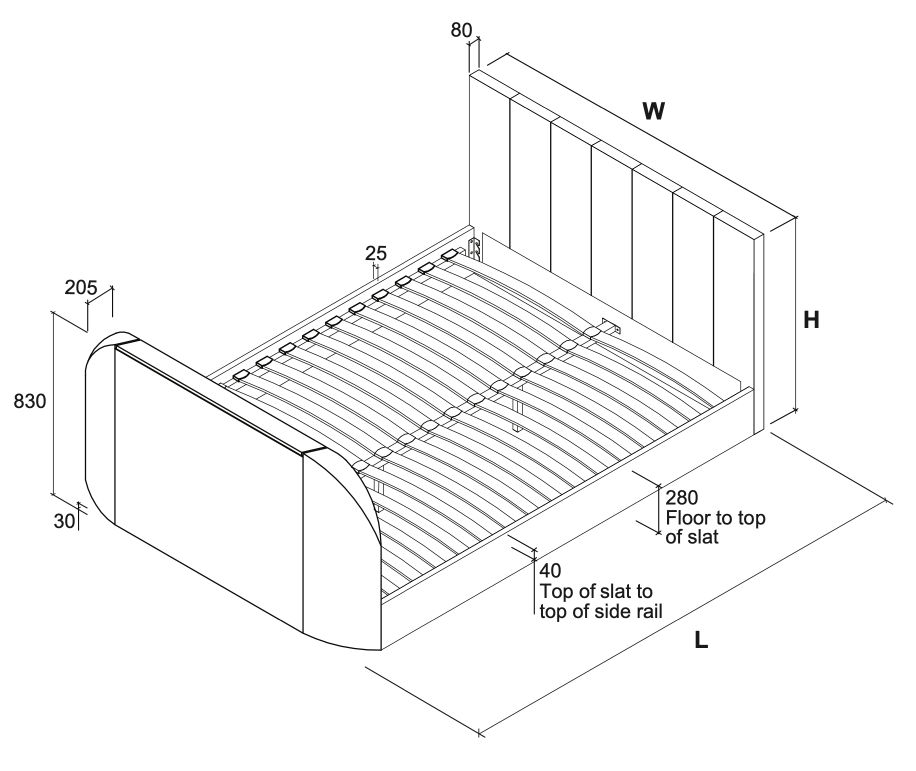
Frame dimensions

Fuzion Charcoal Faux Leather Upholstered TV Bed Frame

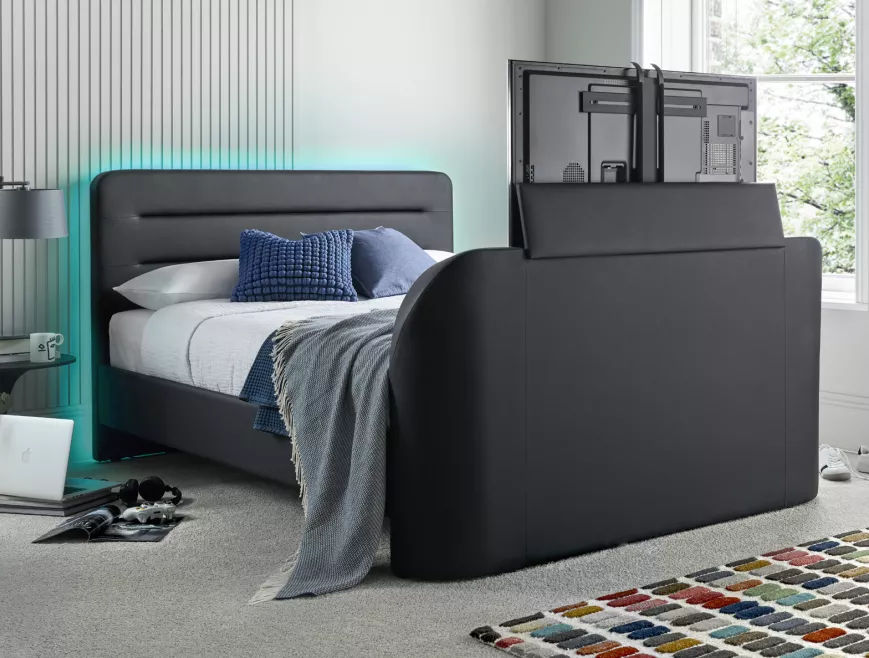
Heighten your gaming experience with the Fuzion Charcoal Upholstered TV Bed Frame. Immerse yourself into a world of comfort and style as you enter into the gaming zone. Featuring a plush upholstered frame and integrated TV mount, this bed is your ultimate gaming sanctuary. But that's not all - the built-in LED lights behind the headboard create an electrifying ambiance, setting the perfect mood for intense gameplay or relaxing downtime.
View product (opens in new tab)
SKU
FuzTV46Char, FuzTV50Char
Double
Width147 cm
Length218 cm
Height110 cm

Overall Dimensions (LWH mm)

  • Double: 2200 x 1430 x 1100
  • King: 2300 x 1580 x 1100
  • Super King: 2300 x 1880 x 1100

Internal Dimensions (LW mm)

  • Double: 1920 x 1380
  • King: 2020 x 1530
  • Super King: 2020 x 1830

Distance Between Slats (mm)

  • Double: 75
  • King & Super King: 73

Slat Dimension (mm)

  • Double: 690 x 53 x 9
  • King: 765x 53 x 9
  • Super King: 610 x 53 x 9

Maximum TV Dims (WHD mm)

980 x 570 x 80

Before You Start

PLEASE READ this sheet prior to assembly to familiarise yourself with the various stages of construction.

  • Carefully open the pack supplied and check the contents against the parts and fittings check list. Do not destroy any of the packaging until you are certain that you have all the necessary parts for the assembly.
  • Please ensure that the packaging is disposed of in a safe and environmentallyfriendly way.

CAUTION:

  • There are small components used in the construction of this unit.
  • These loose items should be kept away from children duringassembly, to avoid the danger of choking.

Important Power Information

Before fixing the slats to the bed, please follow the instructions below:

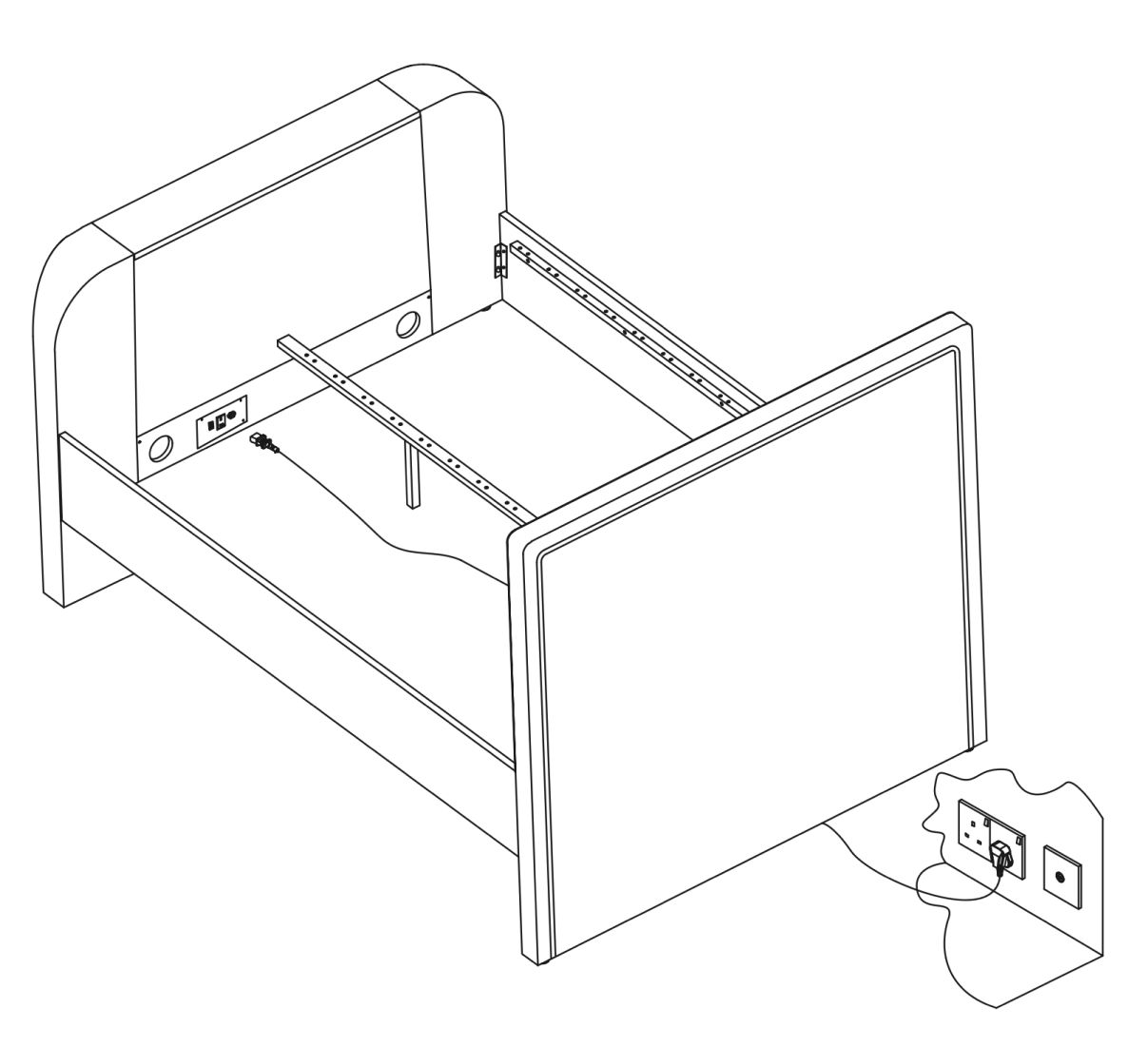
  • Plug in the main power supply lead supplied with your bed; this is packed inside the TV footboard Pack.
  • It is essential that this power lead is connected to an earthed socket be it a wall socket or extension lead - otherwise there is risk of damage or even electric-shock.
  • The wall socket providing the power must be accessible at all times in case you need to switch off the electric supply.
  • Power cable supplied with this bed or other approved mains powered extension leads used to power your equipment must not be placed where they can be walked on - this is dangerous and could lead to accidents.
  • Power outlets, extension leads or adapters must not be overloaded beyond their limit - this can result in fire or electric shock. During an electrical or lightening storm - disconnect the power completely as a precaution.
  • Always un-plug the power when going on holiday or when the bed is not used for an extended period.
  • If you have young children in the home always disconnect the power at the wall socket for extra safety.
  • Do not interfere with or modify any cables already fitted and do not add any media cables unless they are routed through the ducts as shown. All leads must be tightly connected to back of TV, never hanging loose where they can get trapped.
  • Never touch moving parts or any part of the equipment - if something needs to be checked, disconnect the power first.
  • Do not insert anything into the footboard as this could seriously damage the TVand/or the TV lifting equipment and could, if done carelessly, cause serious damage or injury.
  • If the equipment doesn't operate normally or if there is any unusual noises, disconnect the power and contact your retailer for advice.

Television Information

  • Please follow the assembly steps for initial operation of the TV Lift, your TV and any media cables required.
  • Push the television power plug (supplied with your own TV), into it's own special socket which is on the face of the footboard clearly shown in the instructions. For safety and to prevent overheating, this socket is only to be used for the television as it does not have a constant power supply.
  • Raise the TV Lift by pressing the UP button of the remote control.
  • If required you can connect media cables the television ports.
  • Please use the cable clips & cable ties to make certain there are no loose wires to snag or get trapped.
  • The television can now be operated following the TV User Guide.
  • When finished viewing, lower the television back into the footboard by pressing the DOWN button of the remote contro,l. For safety and to stop any overheating, power to the television is switched off when lift reaches the bottom rest position. When the UP button is pressed - the TV Lifting Column rises and power is turned back on automatically.

Tools

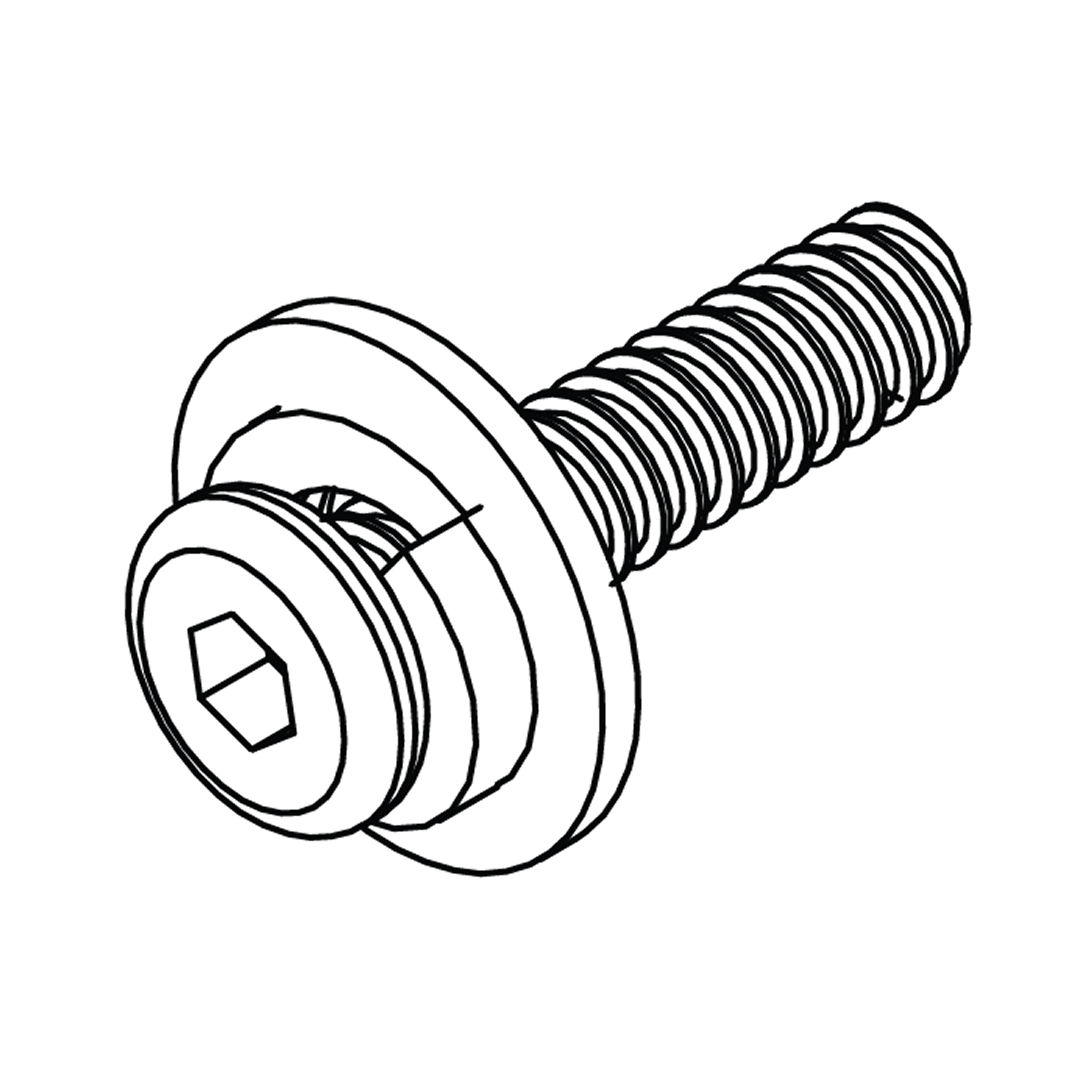
Bolt sets (M8x20mm)
A - Bolt set (M8 x 20mm)
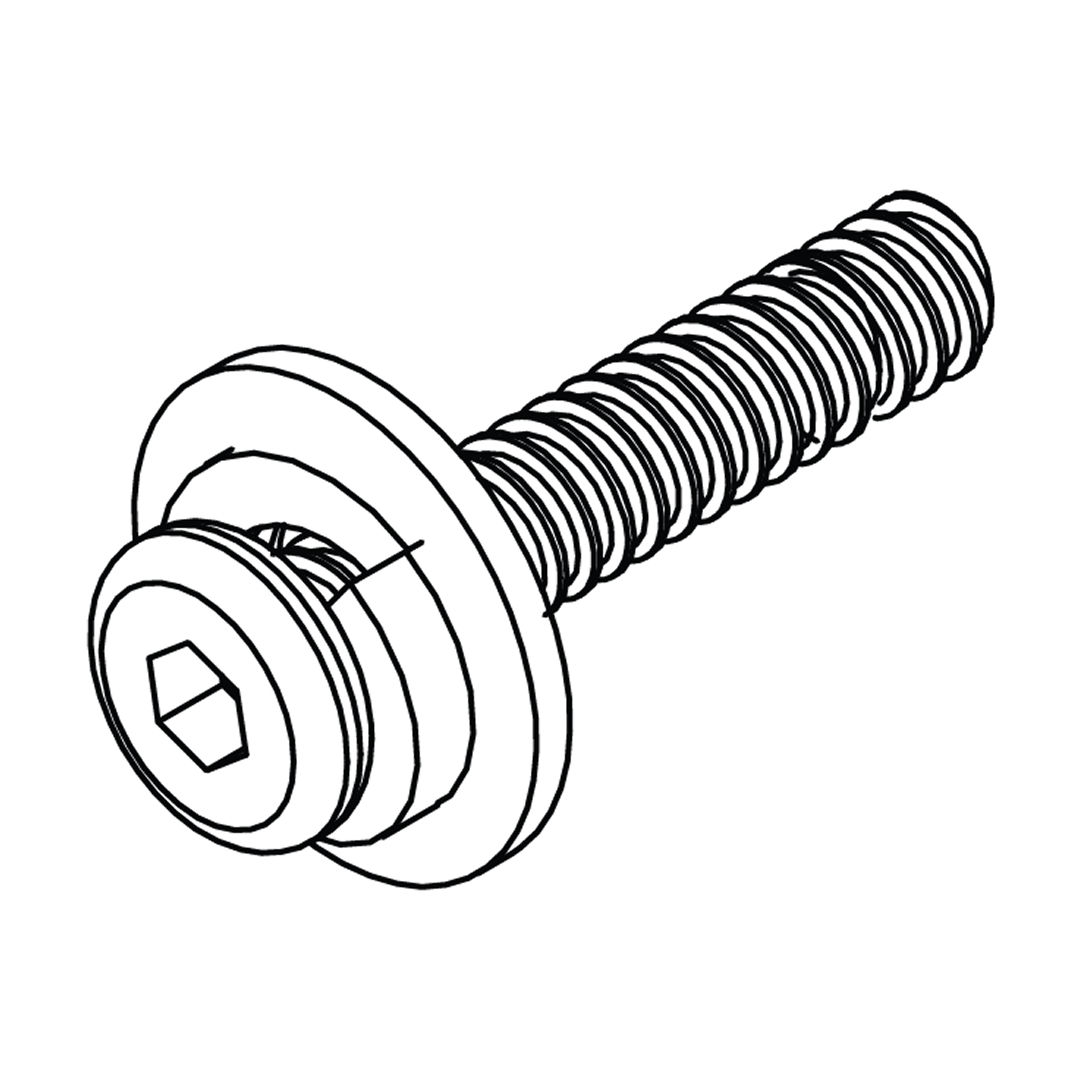
Bolt sets (M8x30mm)
B - Bolt set (M8 x 30mm)
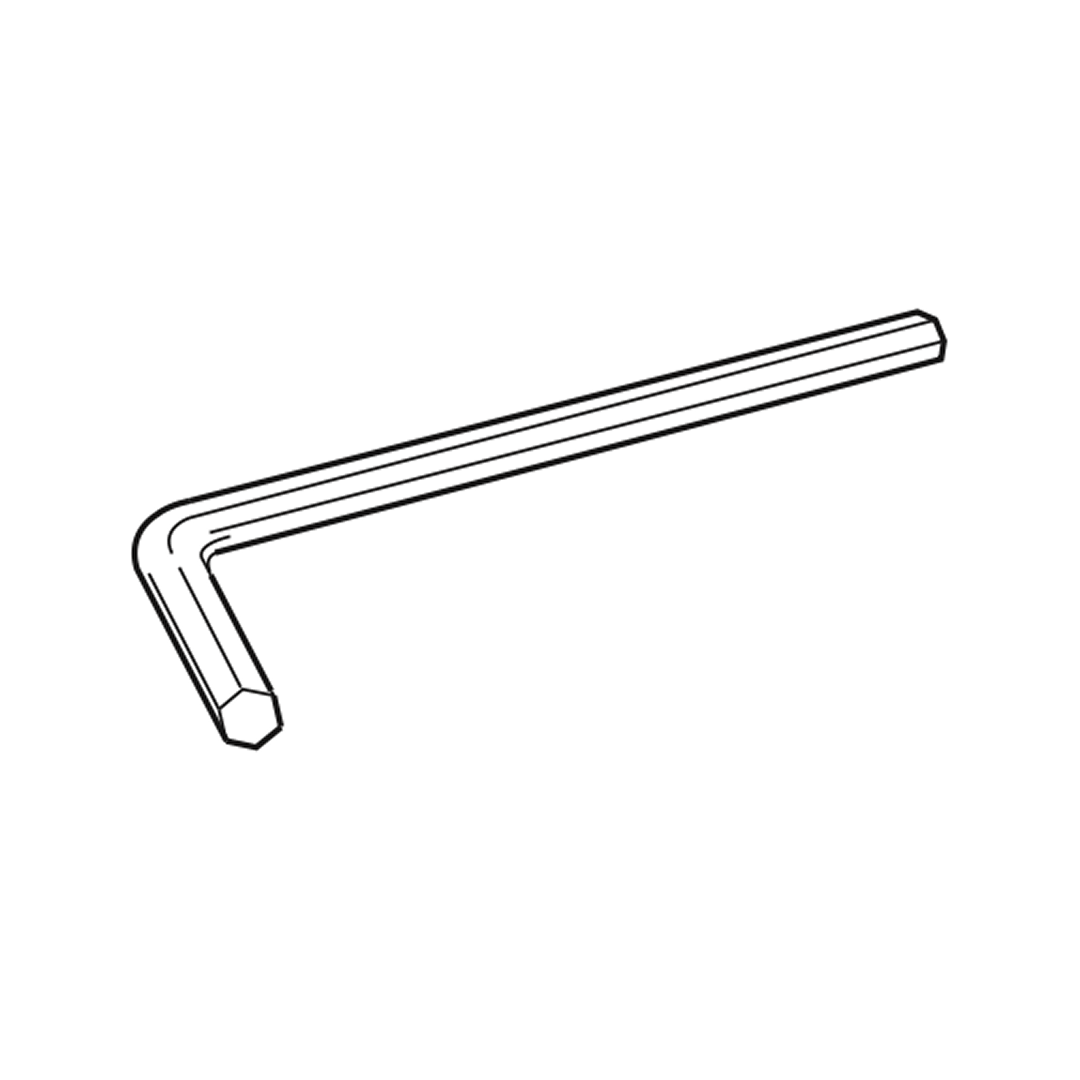
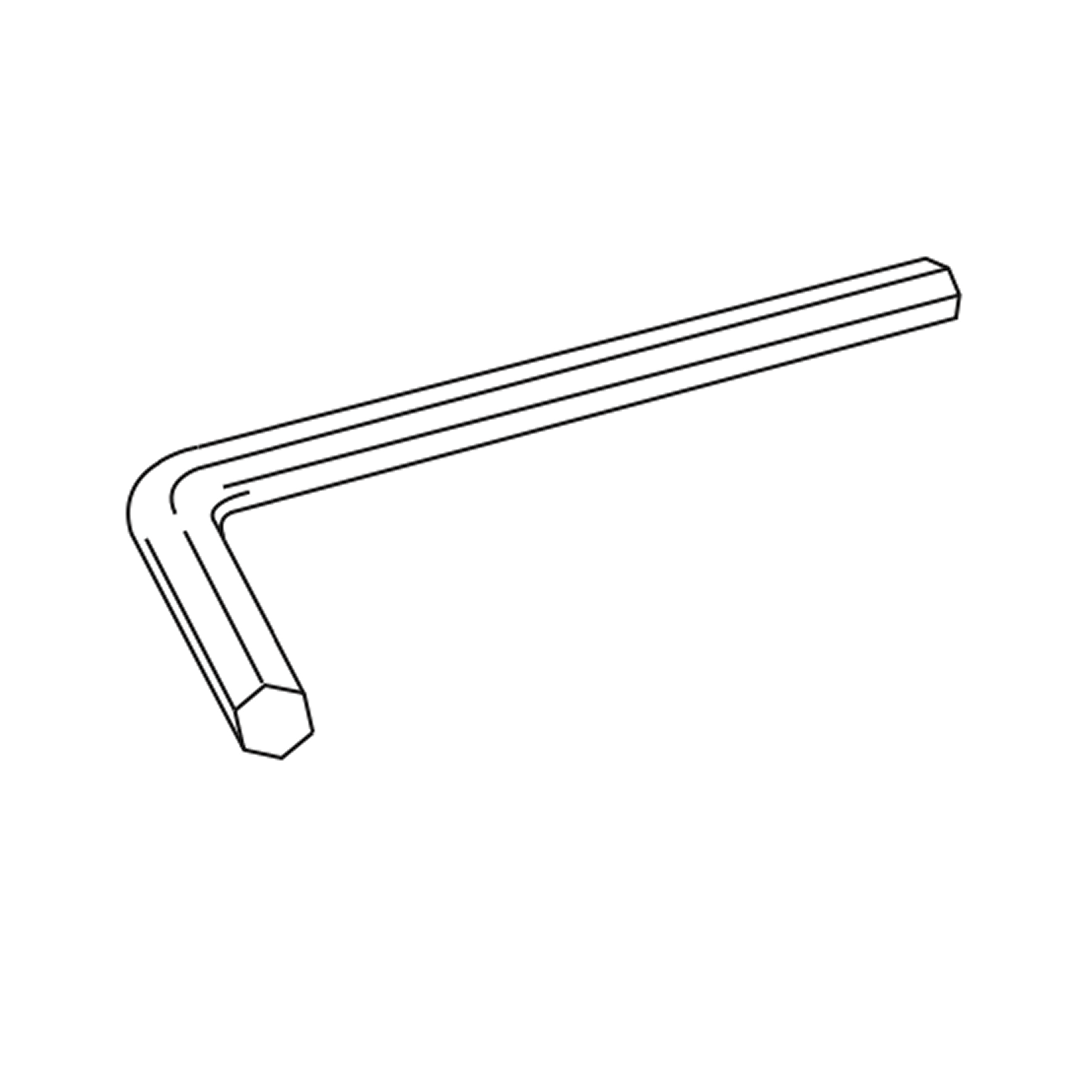
Allen key for M8 bolts
C - Allen key for M8 bolts
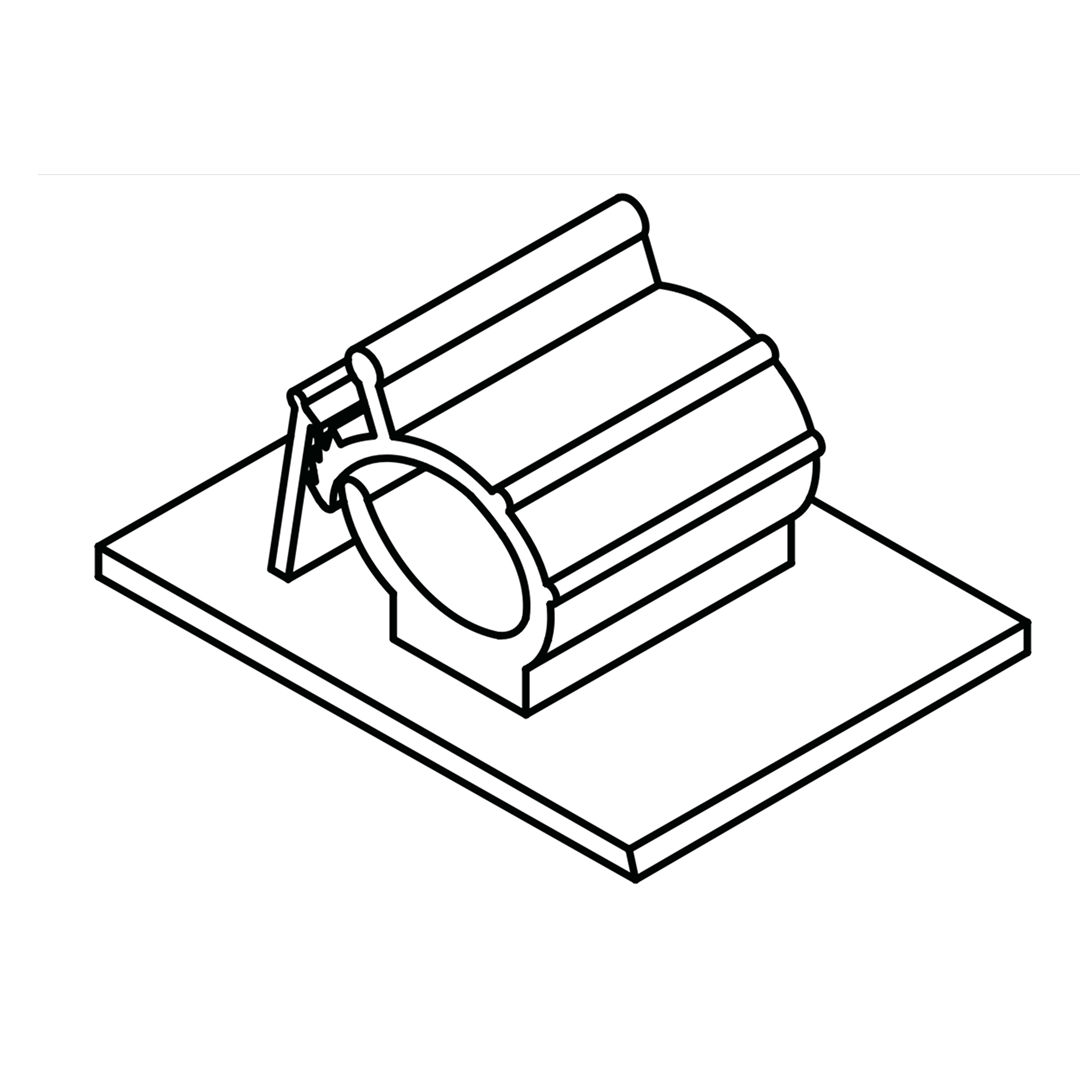
Cable clips
D - Cable clips
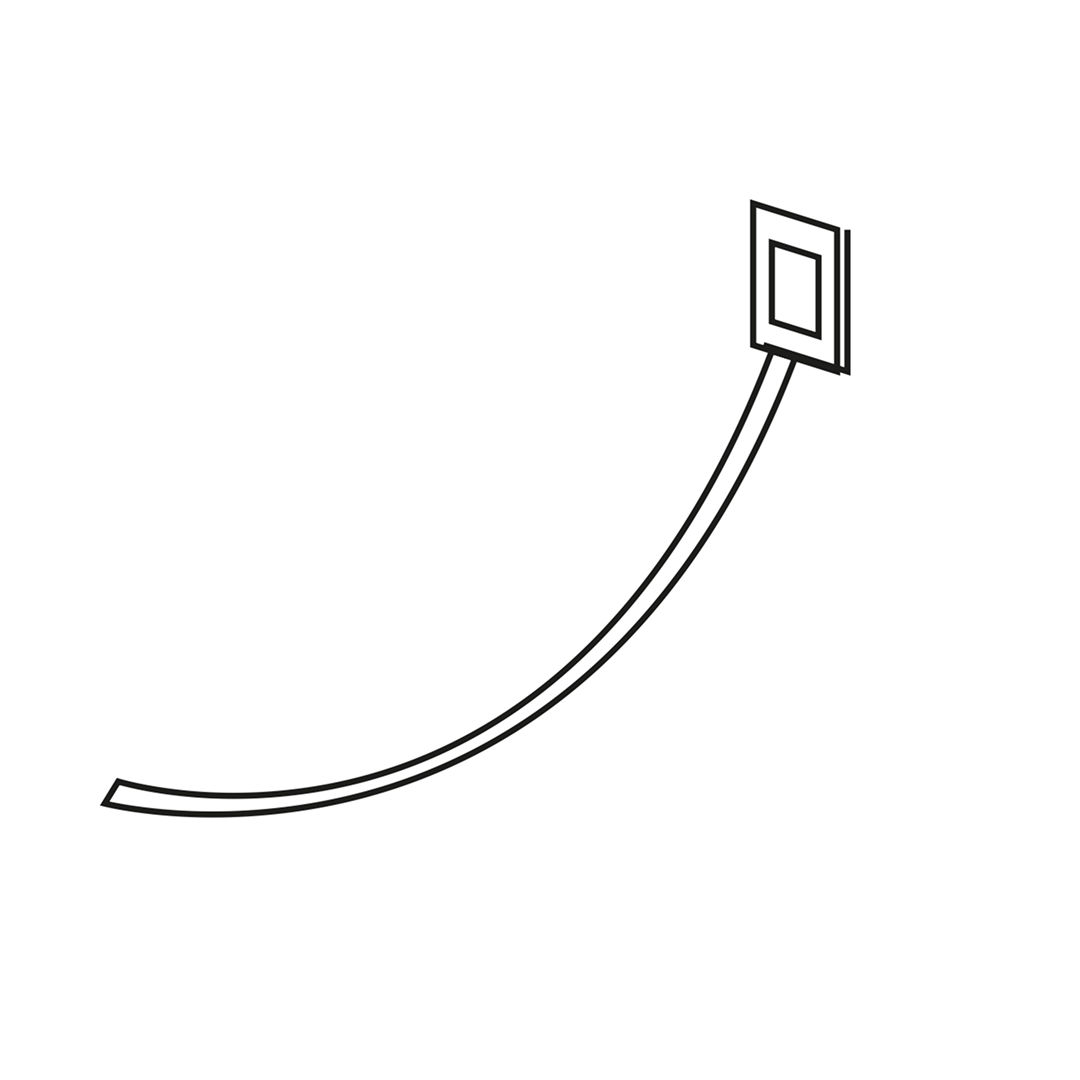
Cable ties
E - Cable ties
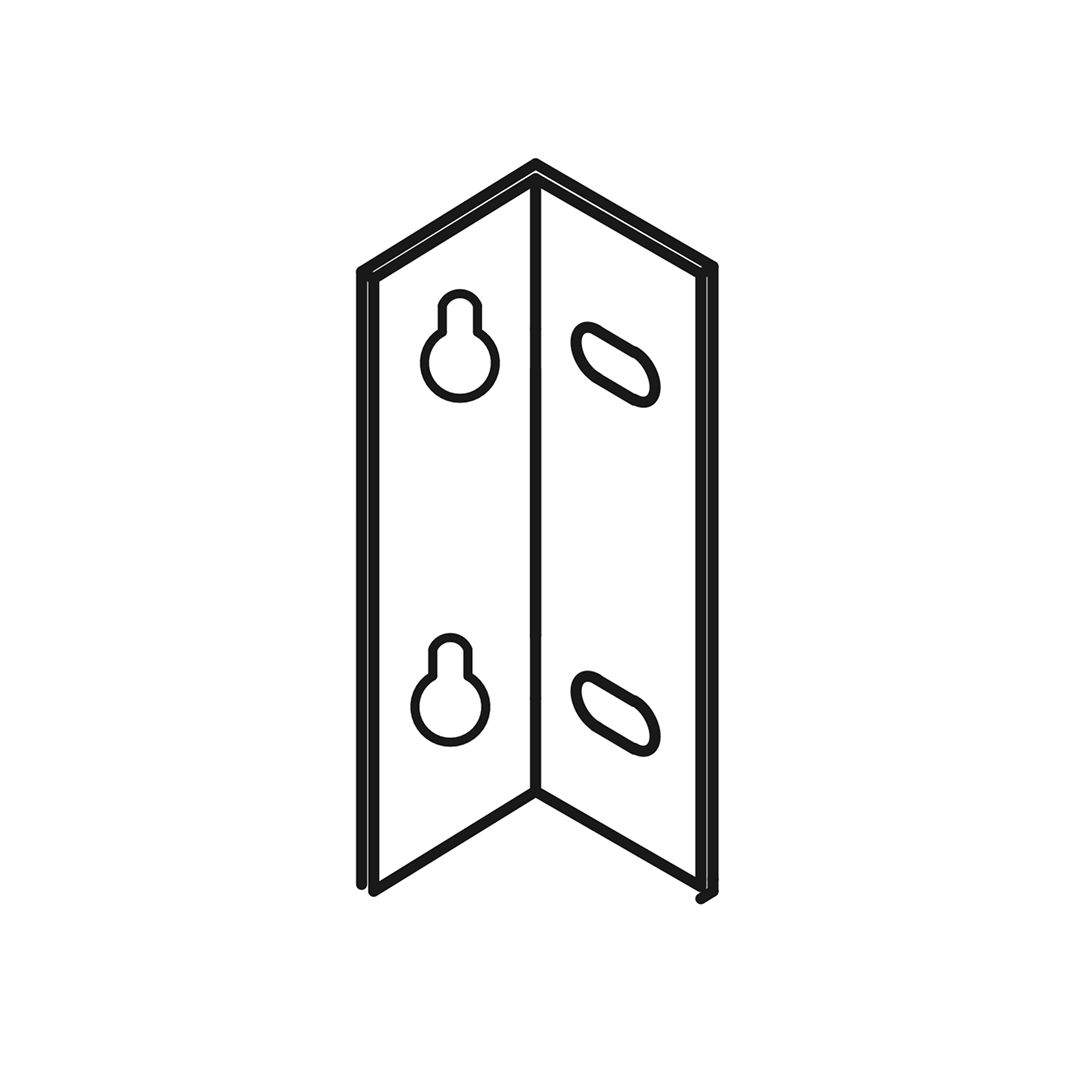
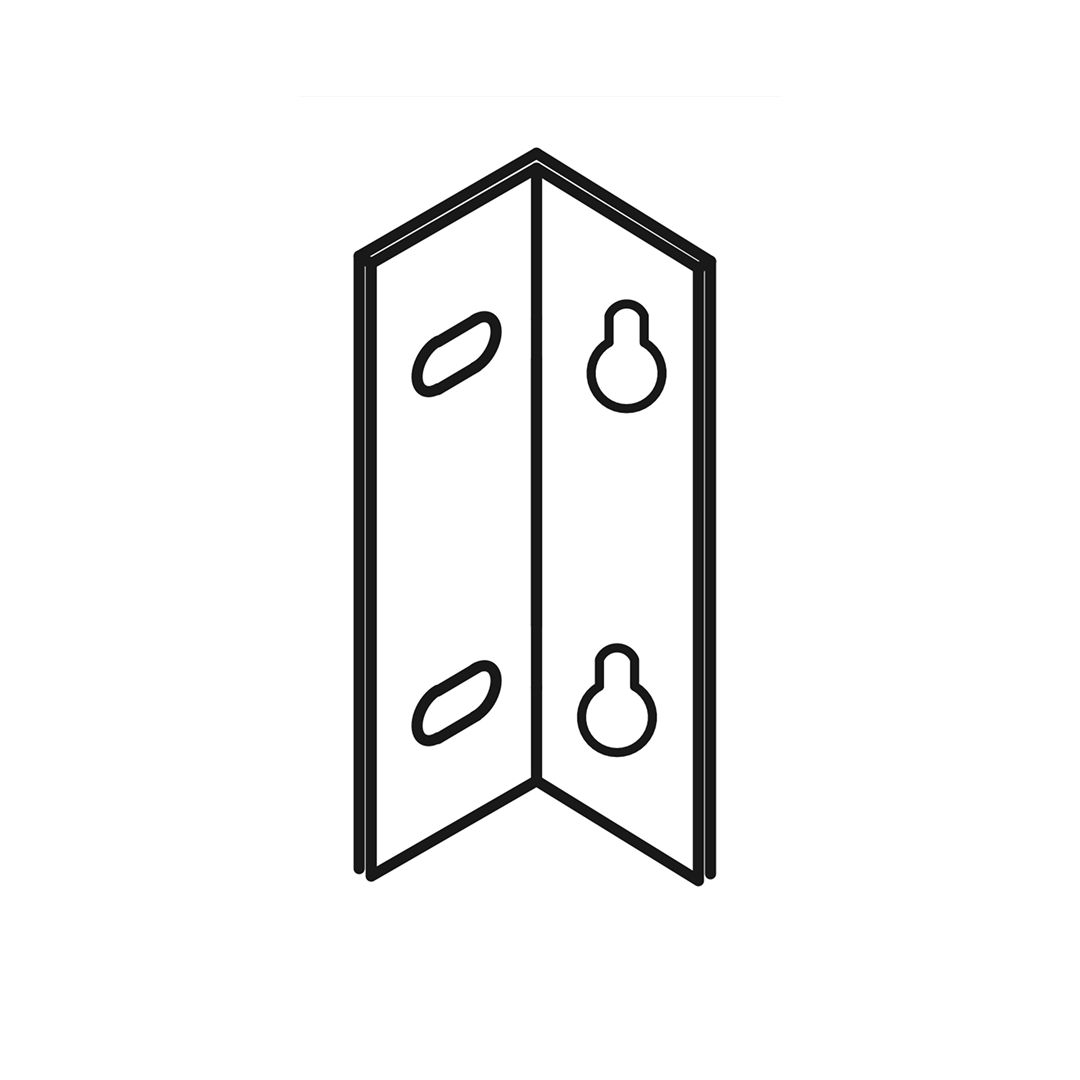
Angle Bracket
K - Angle Bracket - LH
Angle Bracket - RH
L - Angle Bracket - RH
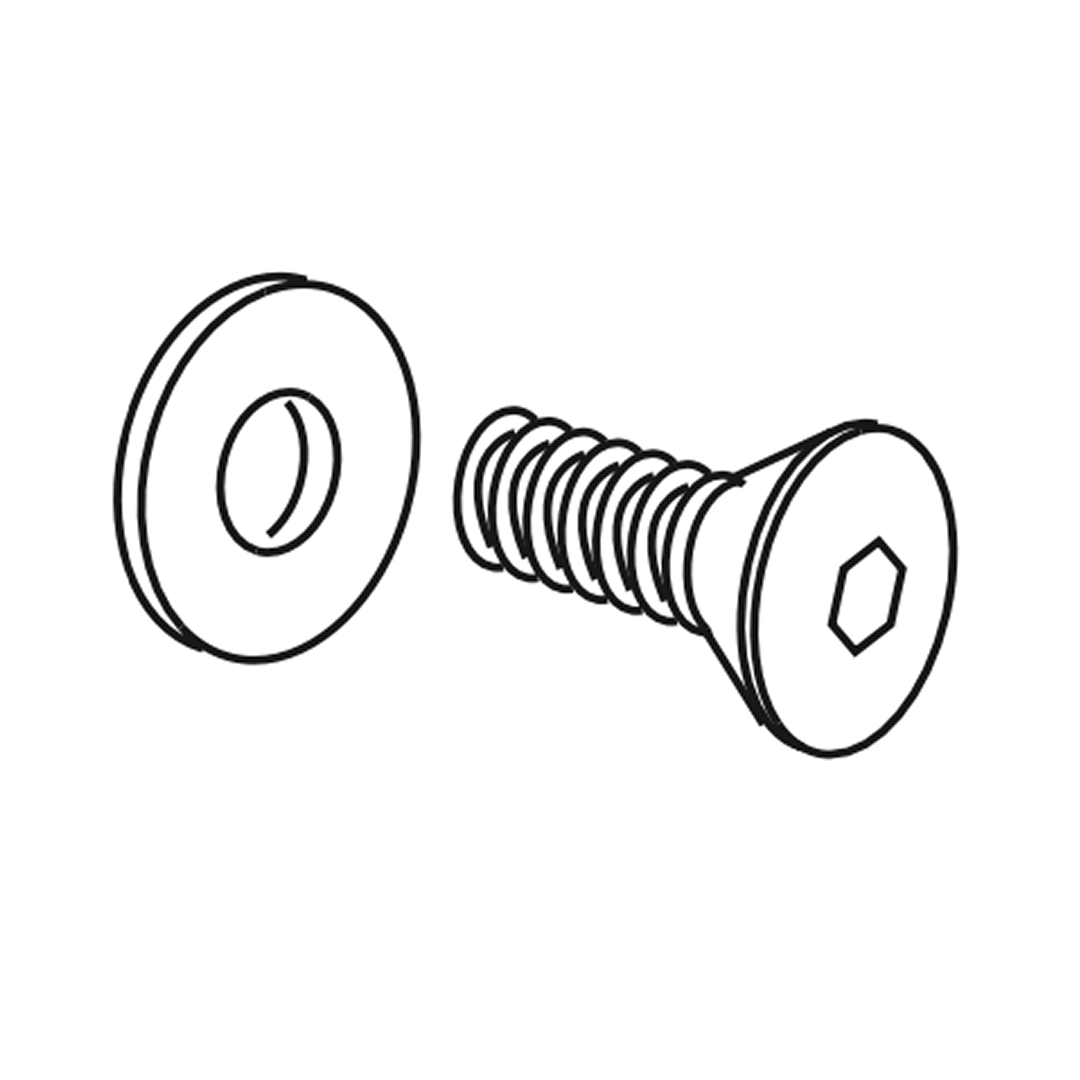
Bolt sets M8 x 25mm
Bolt sets M8 x 25mm
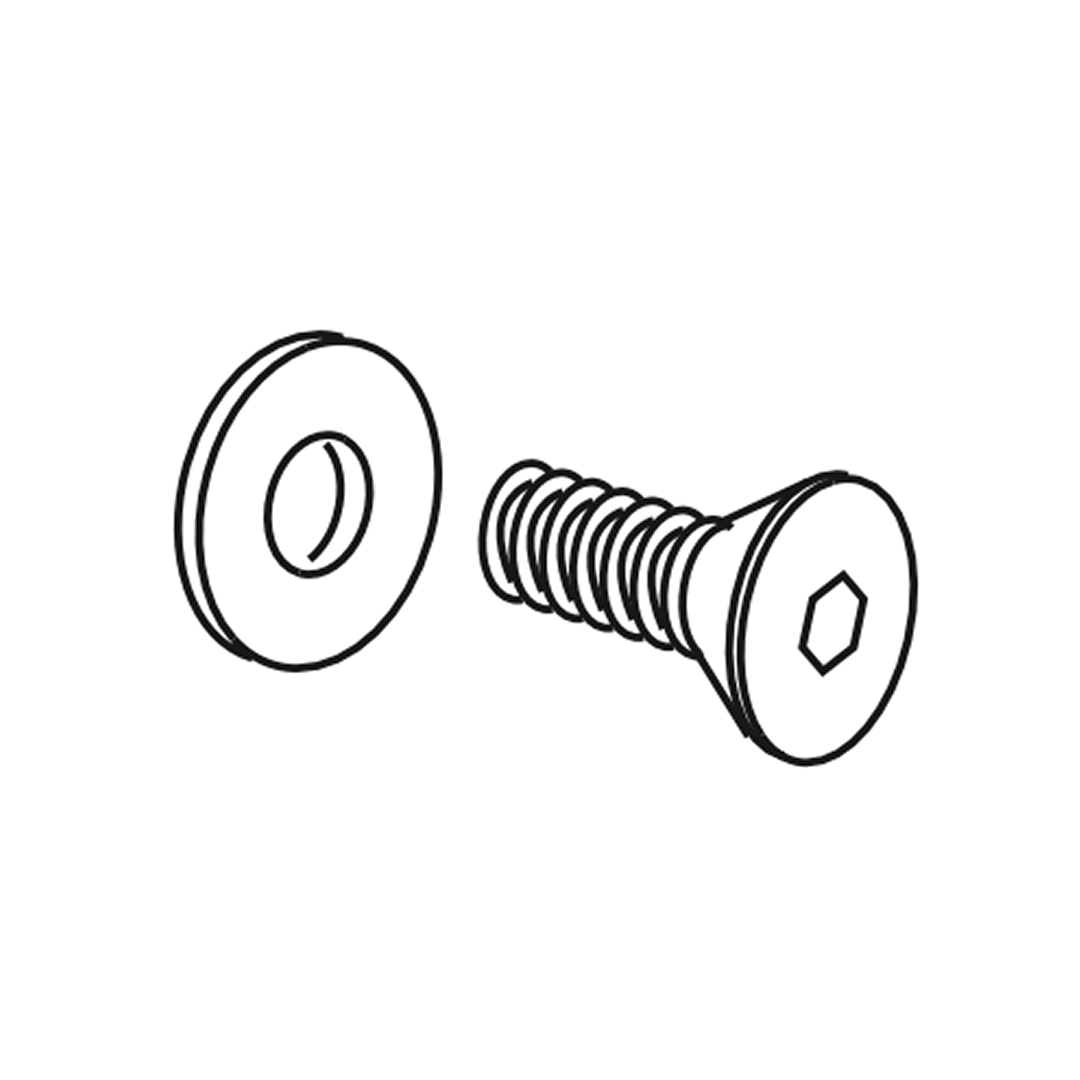
Counter-sunk screw
Counter-sunk screw (M6 x 12 mm)
Counter-sunk screw
Counter-sunk screw (M4 x 12mm)
Allen key (2.5mm)
Allen key (2.5mm)
Allen key (4mm)
Allen key (4mm)
Hammer

Parts

Parts
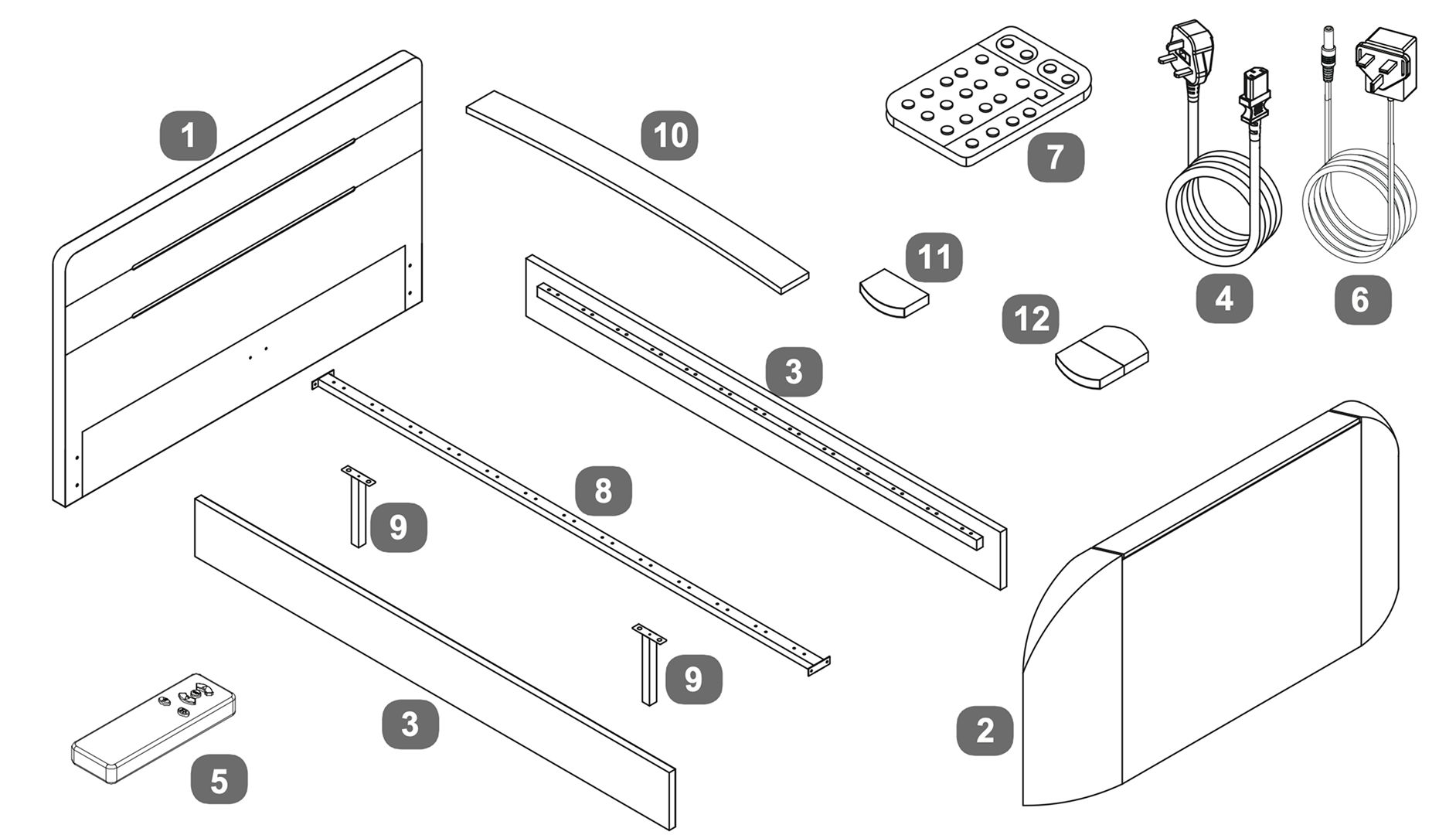
1Headboard
2Footboard
3Side Rails
4Main Power Lead - 3.5mt
5Remote control for TV Lift
6Power Lead for LED
7Remote control for LED
8Centre Support Bar
9Centre Support Legs
10Wooden Slats
11Single Plastic Caps
12Double Plastic Caps

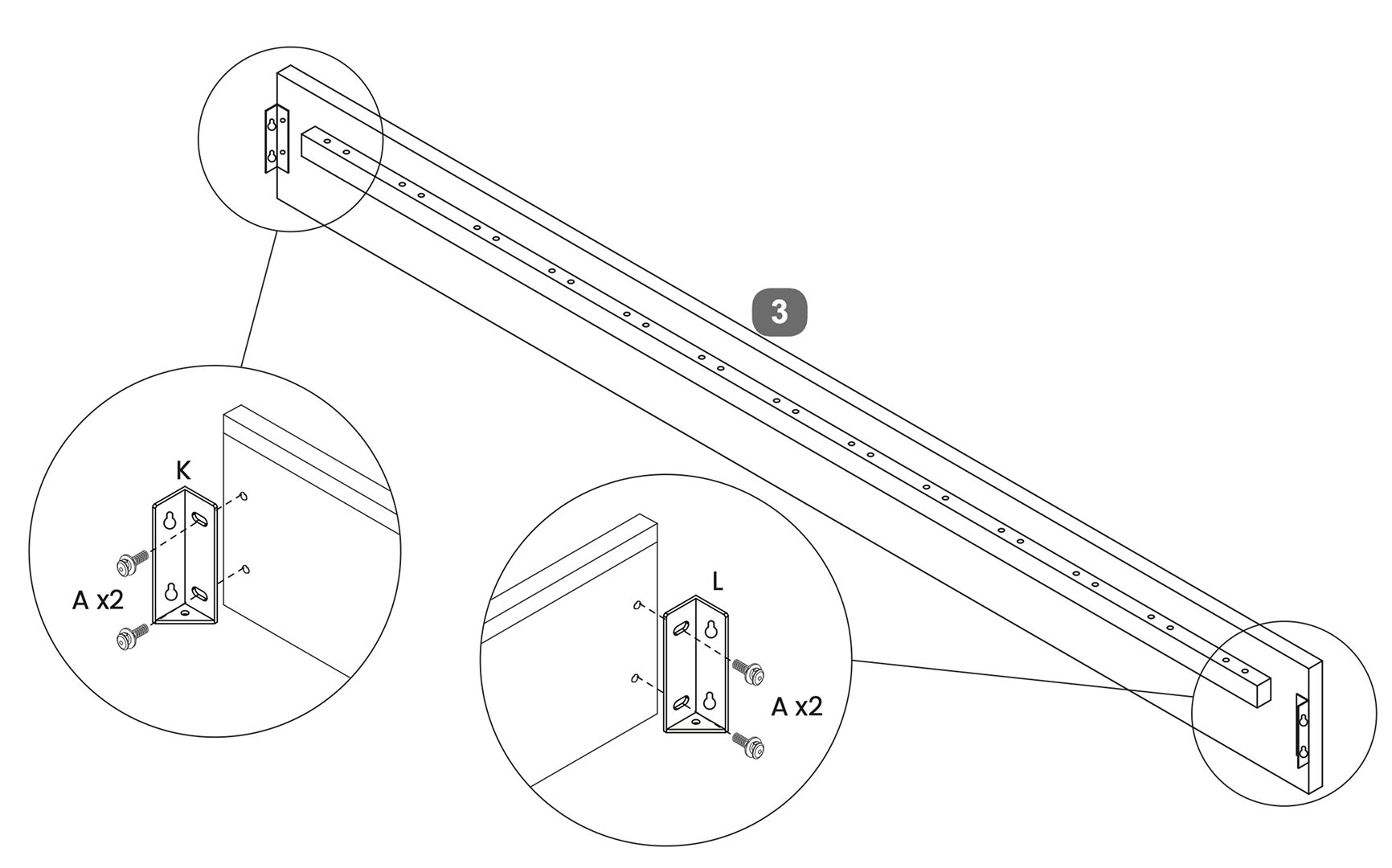
1. Attach Angle Brackets

1. Locate the center support bar.
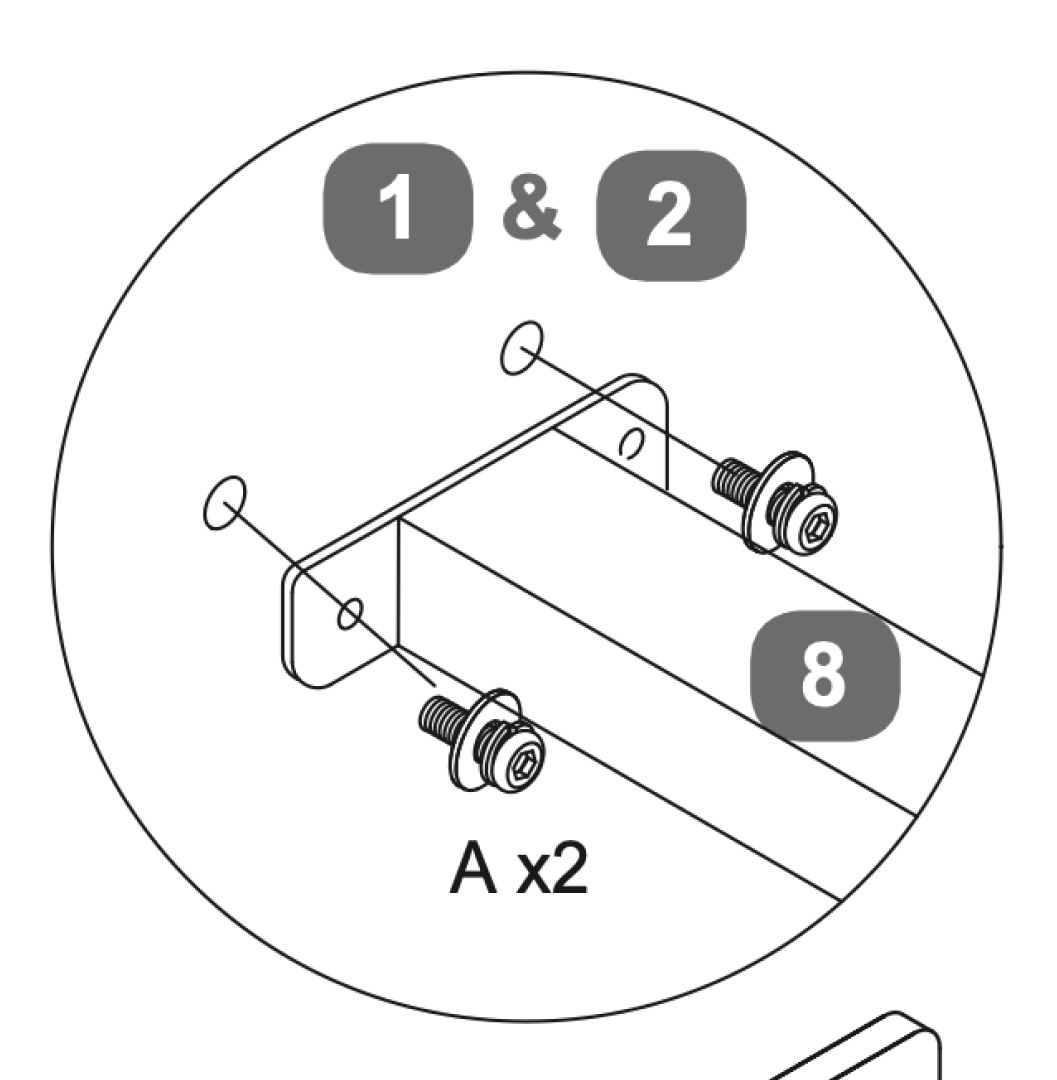
2. Attach angle bracket - LH (K) to one end of the support bar using two bolt sets (A).
3. Repeat the process by attaching the other bracket (L) to the opposite end of the support bar using two bolt sets (A).

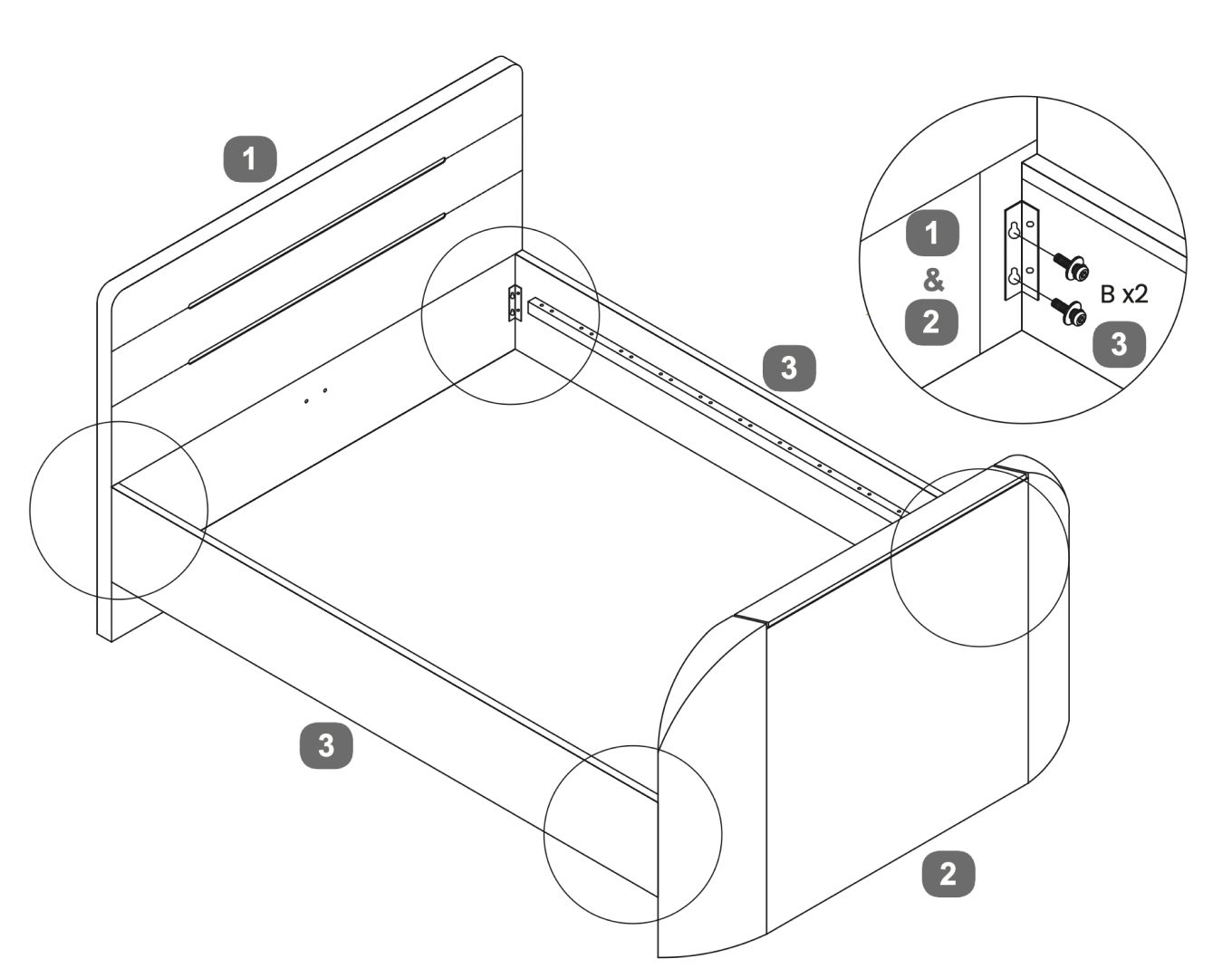
2. Securing the Bed Frame

1. Secure the angle brackets to the center support bar using the provided bolt sets (B x2).
2. Align the side panels with the headboard and footboard.
3. Use screws to secure the panels in place.

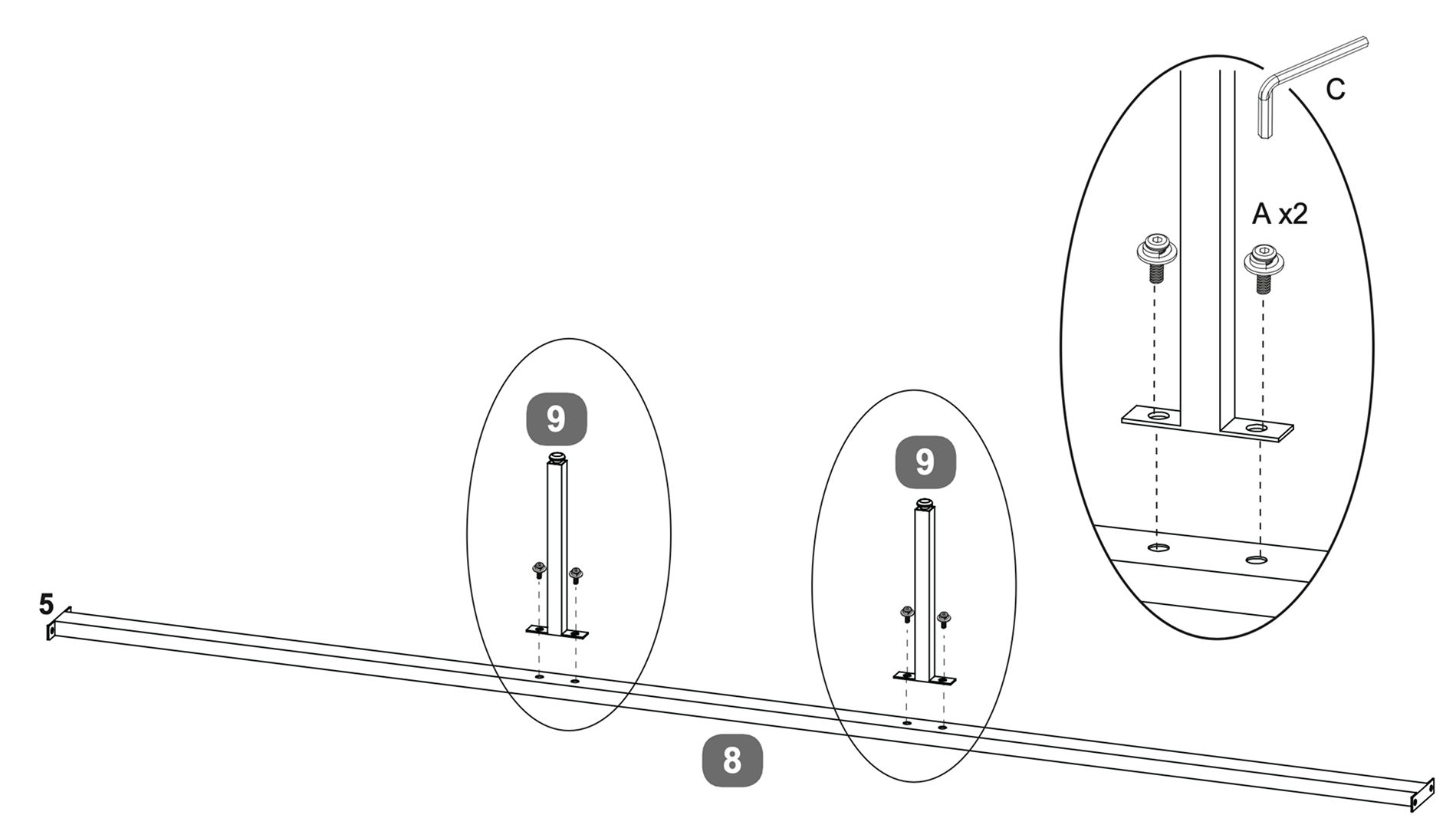
3. Centre Support Bar

1. Position each support leg (9) at the designated points along the center support bar (8).
2. Align the holes on the support legs with the holes on the support bar.
3. Insert bolts (A) through the aligned holes and tighten them using the Allen key (C) to secure the legs in place.

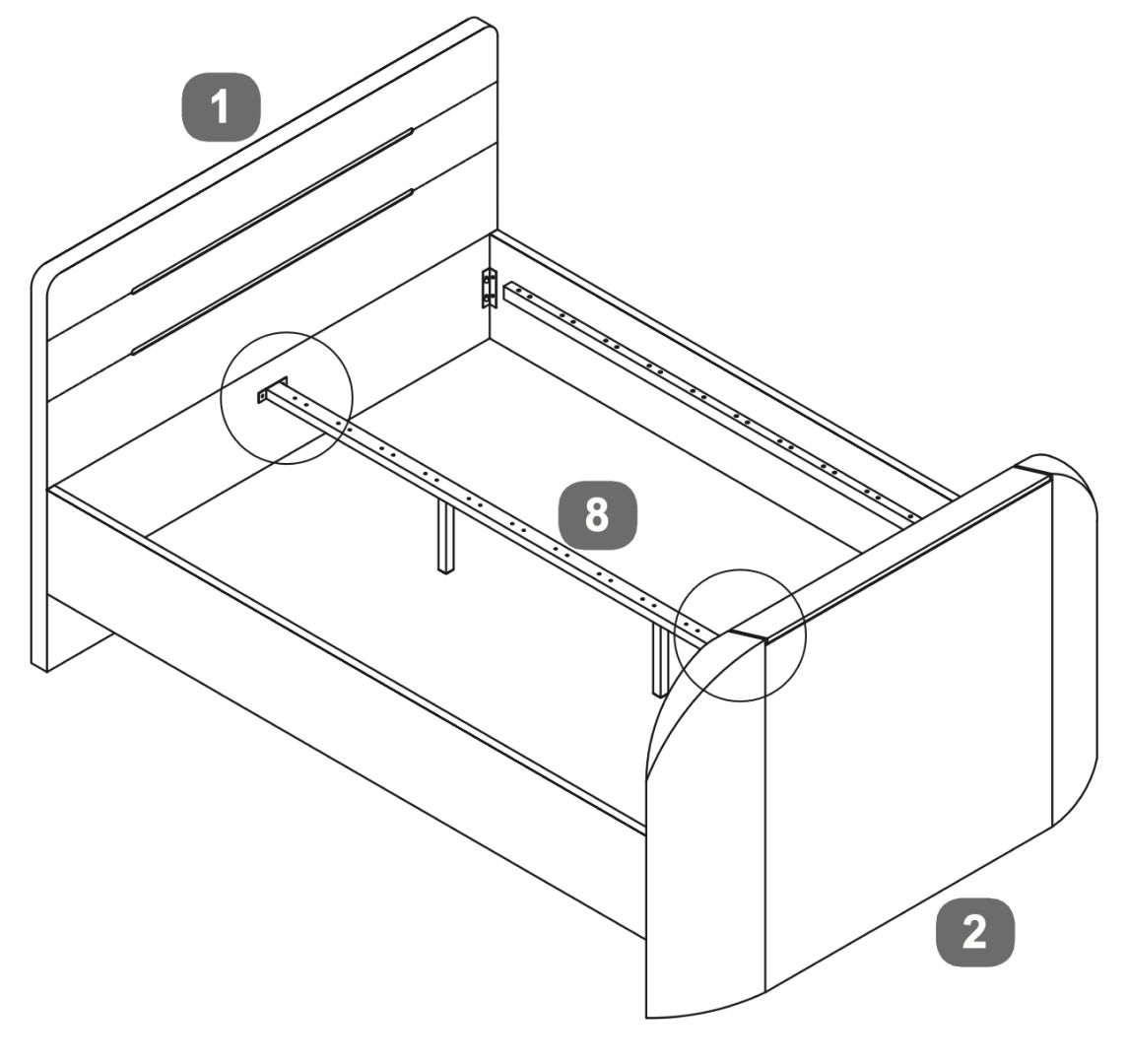
4. Place the Support Bar

1. Secure the angle brackets to the center support bar (labeled as 8) using the provided bolt sets (A x2).
2. Ensure the side panels are properly aligned with the headboard (1) and footboard (2).
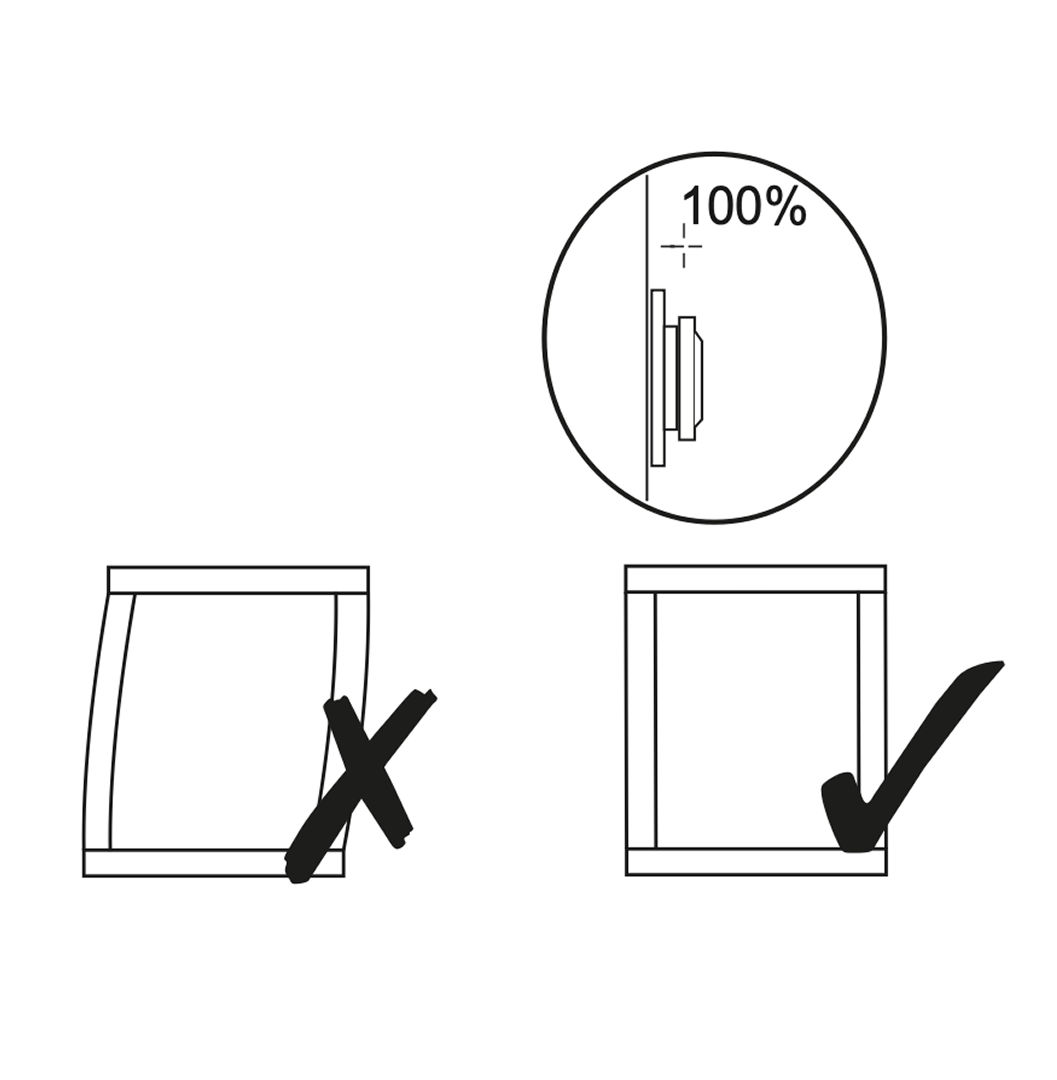
3. Verify that the frame is straight and correctly aligned as shown in the diagram. Avoid any misalignment that could cause the frame to warp.

5. TV Lift Power Cable

1. Attach the power cable to the TV lift mechanism at the headboard.
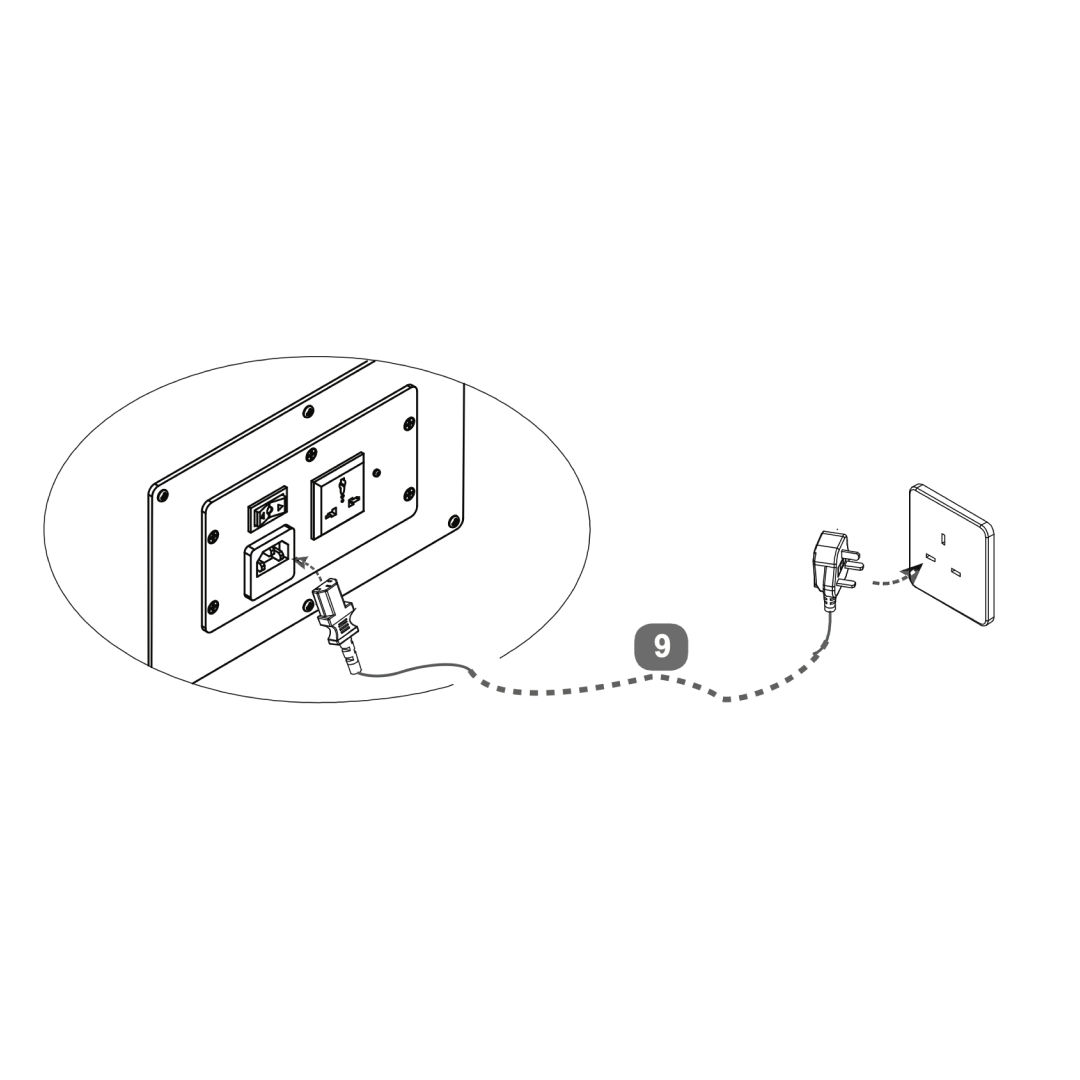
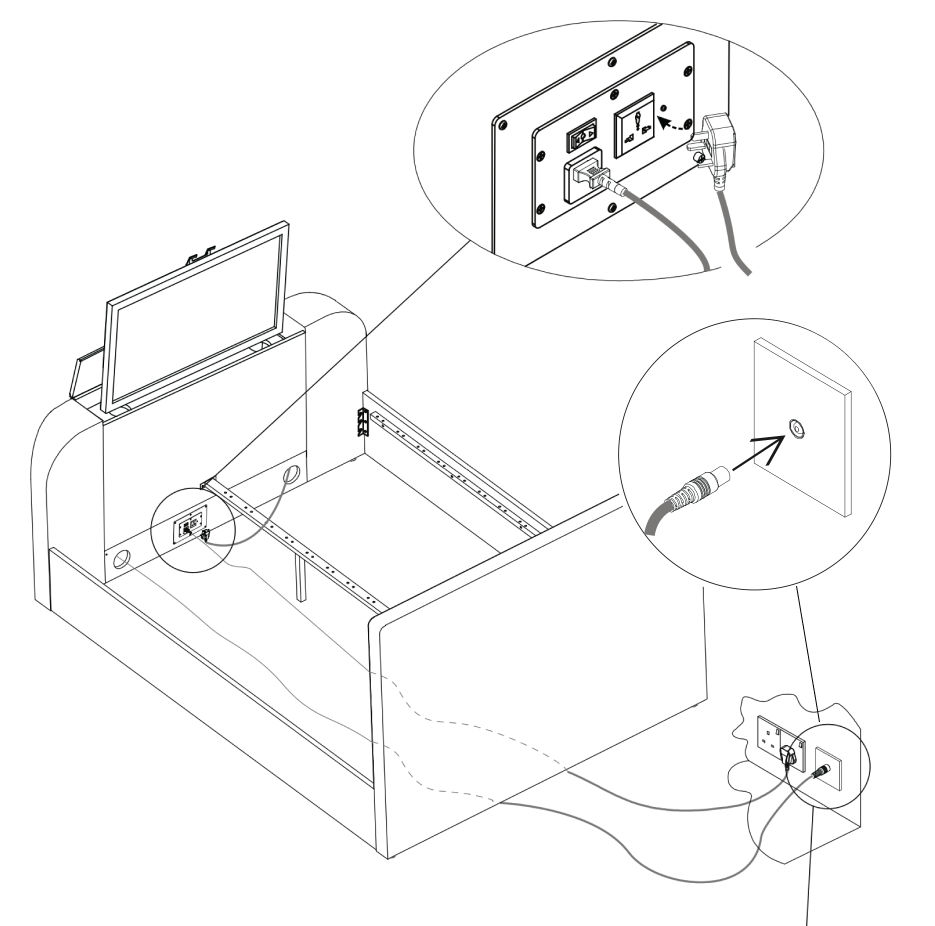
2. Connect mains power lead (9) to your wall socket - for safety, this must be an earthed supply.
3. Use the handheld remote control to operate the TV lift. Press the “UP” button to raise the TV lift.

6. Media Cables

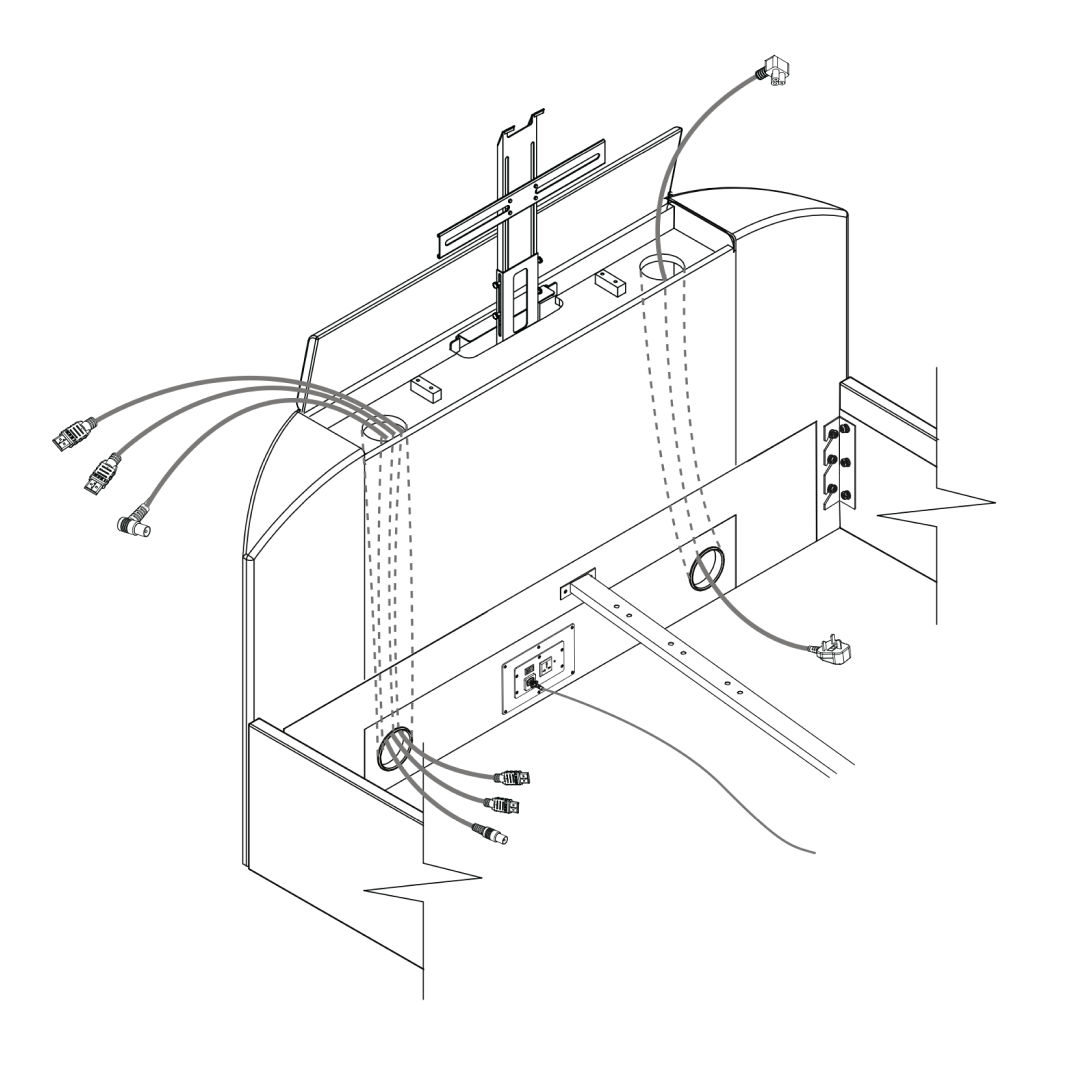
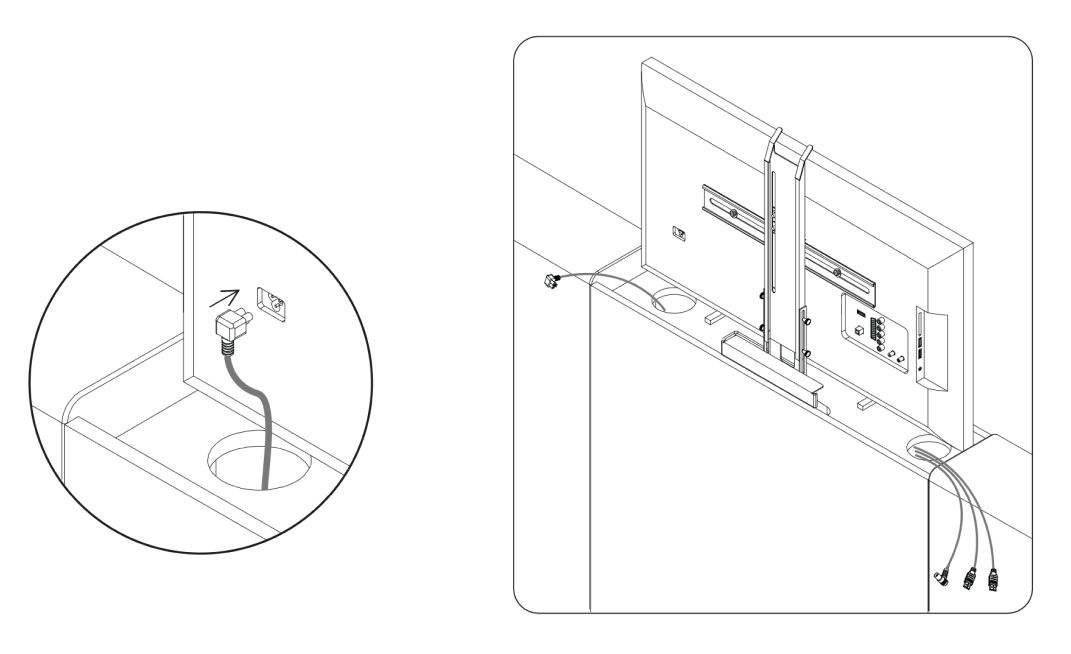
  • Before fitting the tv, push cables through each duct from the top. Choose the best side to use depending on where the connection ports are on back of your tv. Never cross cables from one side to the other.
  • TV Power Lead supplied with your own TV.
  • Leads for HDMI or Aerial.
  • If required, please purchase yourself - HDMI about 3mt long and length of aerial lead to suit the position of your wall socket.

7. TV Mechanism Assembly

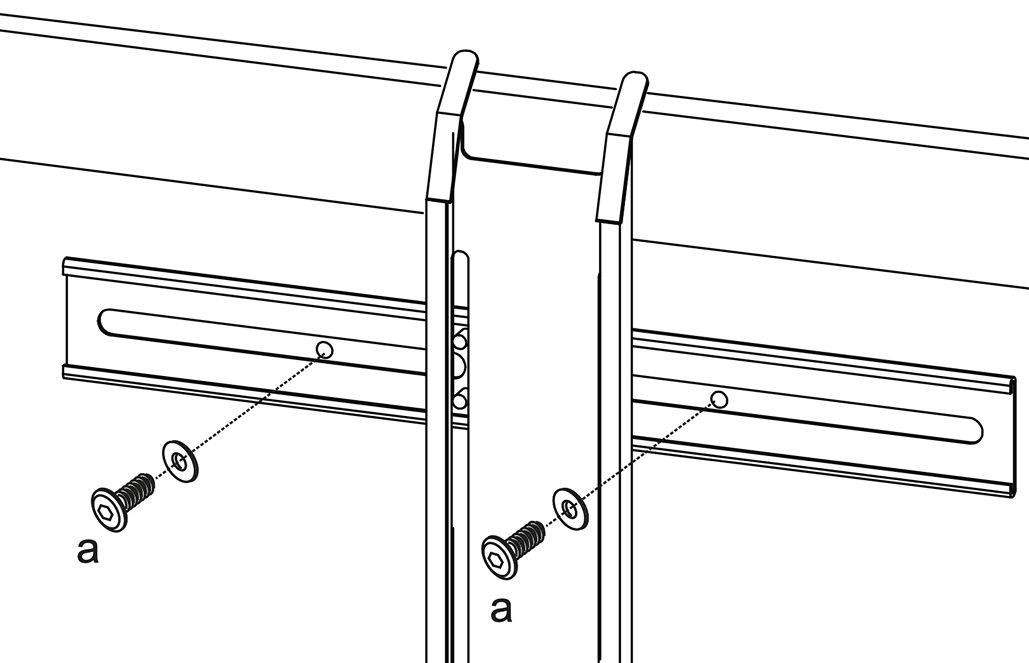
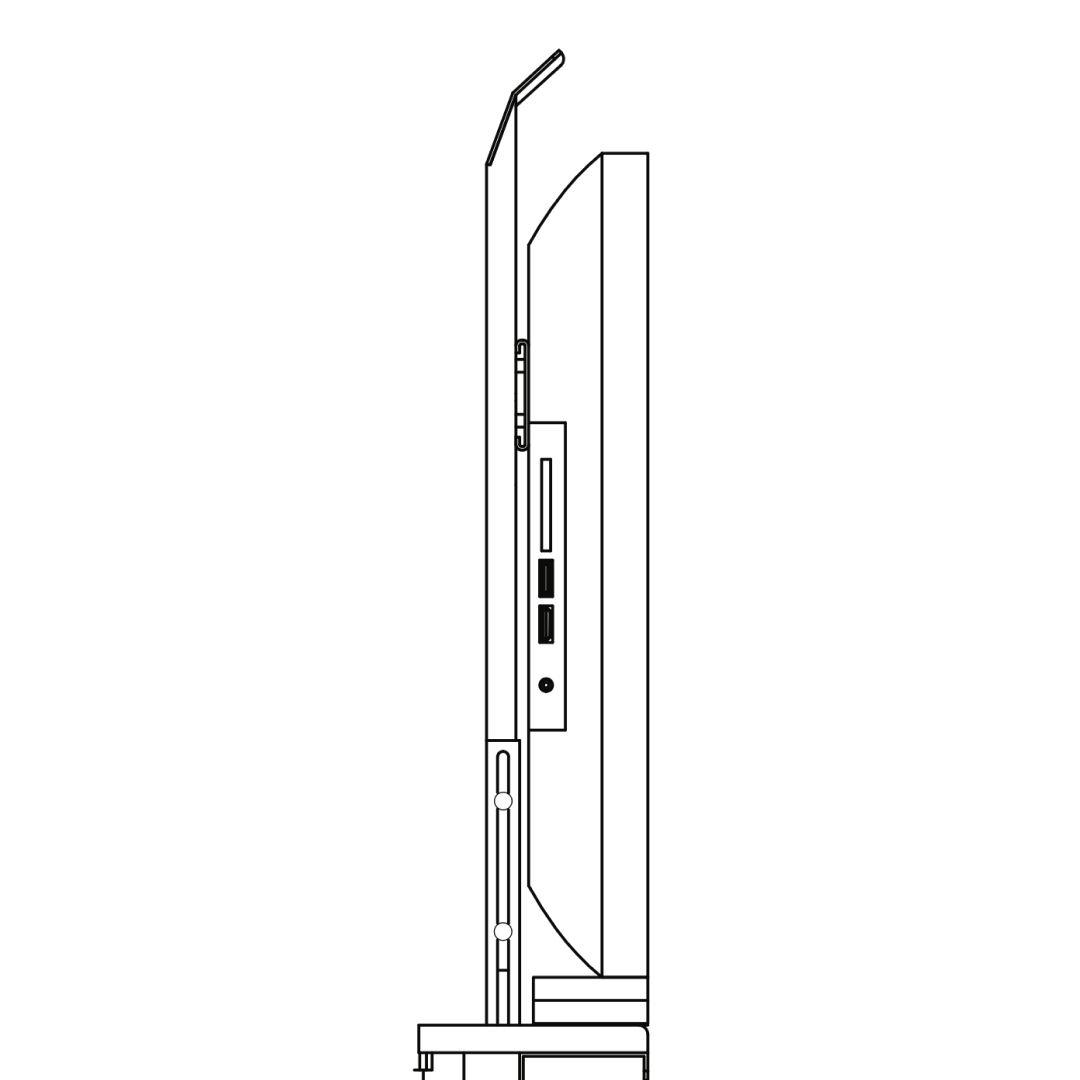
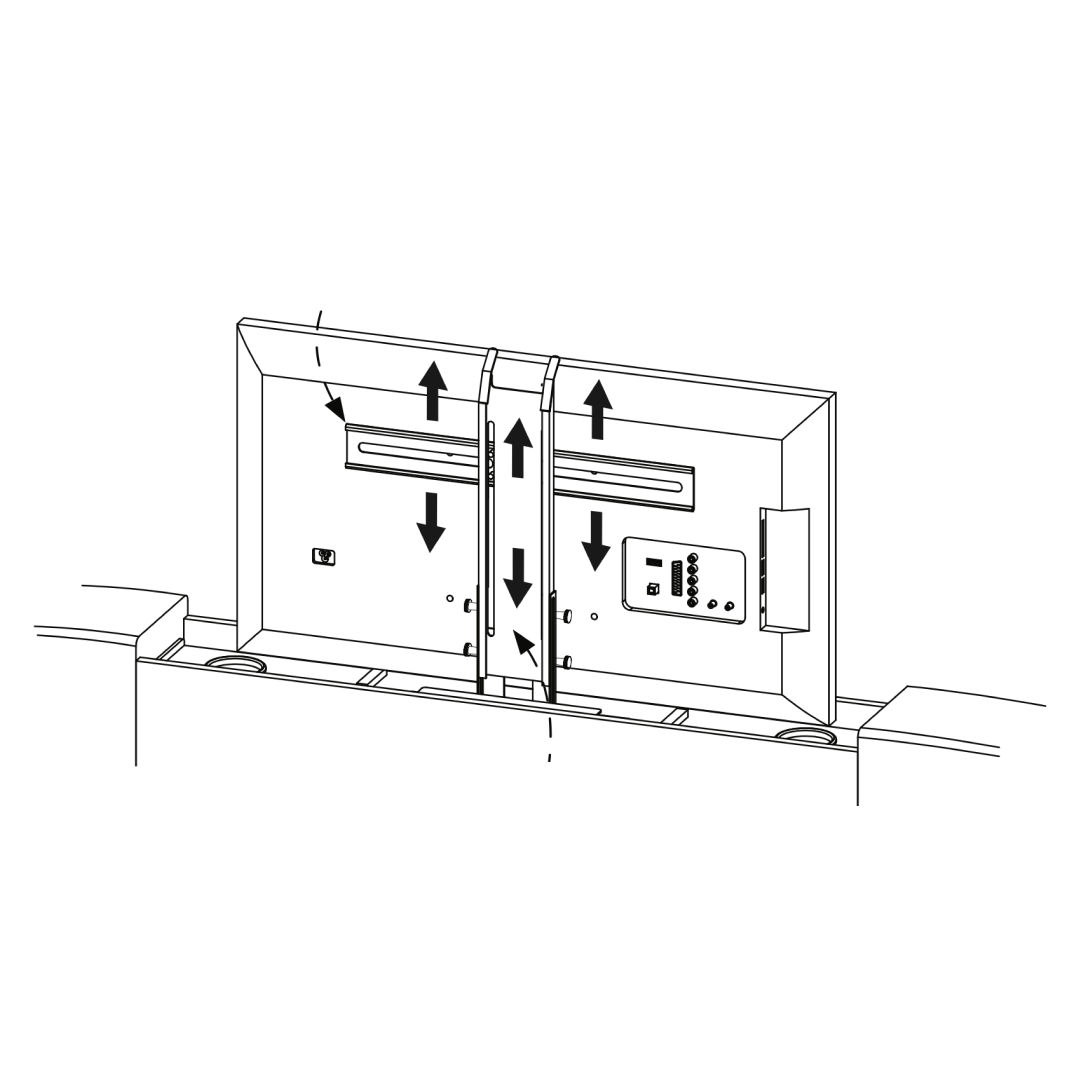
1. Secure metal brackets to the lift mechanism with screws (a).
2. Align and secure the TV to the brackets.
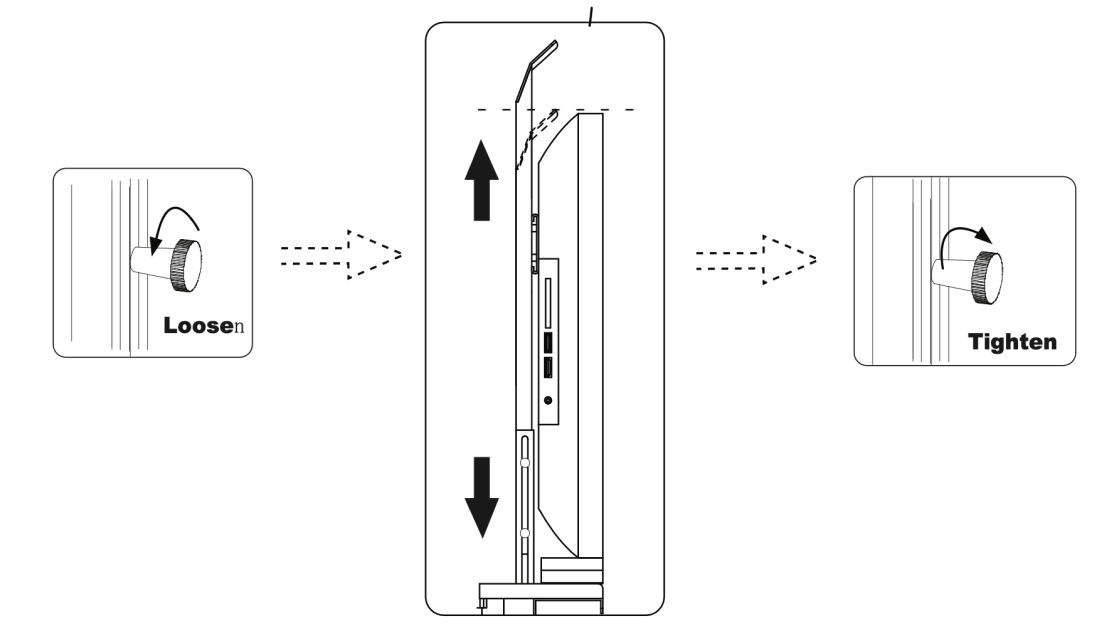
3. Loosen knobs, set height, then tighten.
4. Ensure smooth movement, adjust if needed.

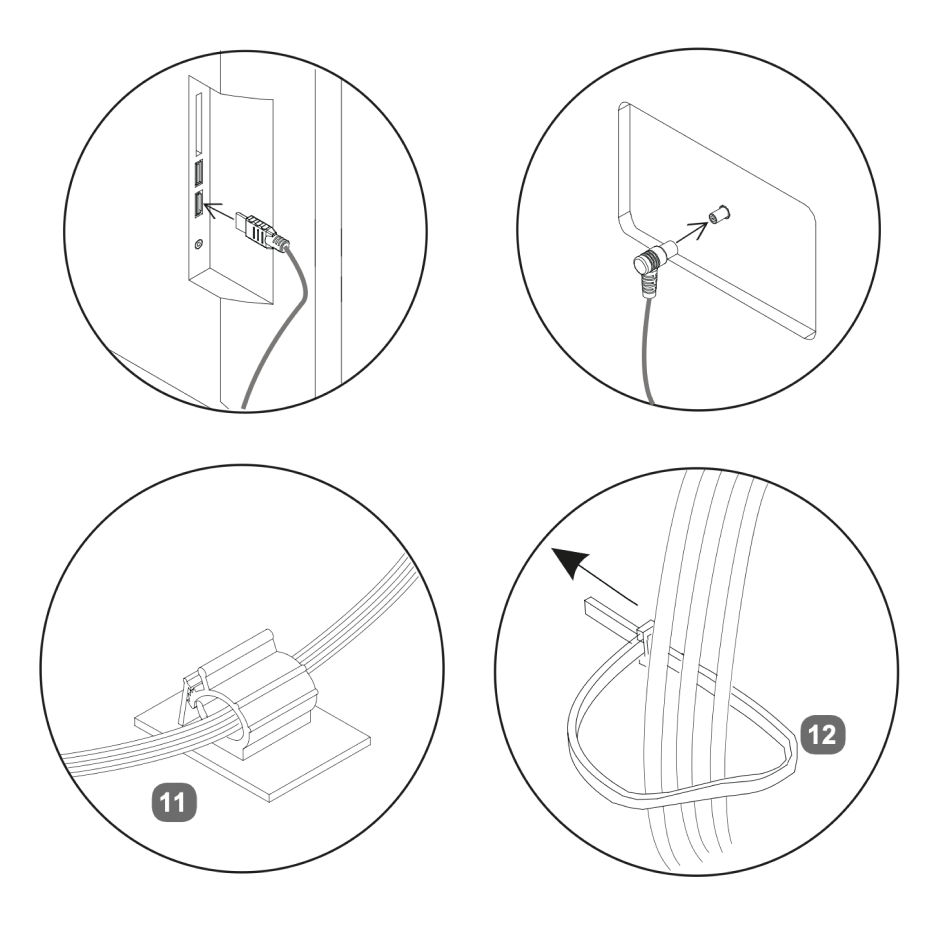
8. TV Cables

  • Plug cables into the TV and antenna.
  • ecure cables using clips (11) and fasteners (12).
  • Plug the TV cable into the power socket inside the footboard.

TV power lead supplied with your own TV.

9. Power & Remote Setup

  • Plug the bed’s power cable into a wall outlet.
  • Plug the TV antenna into the wall socket.
  • Remove the safety tab (if any) and test the TV lift.

10. Setting Up LED Lights

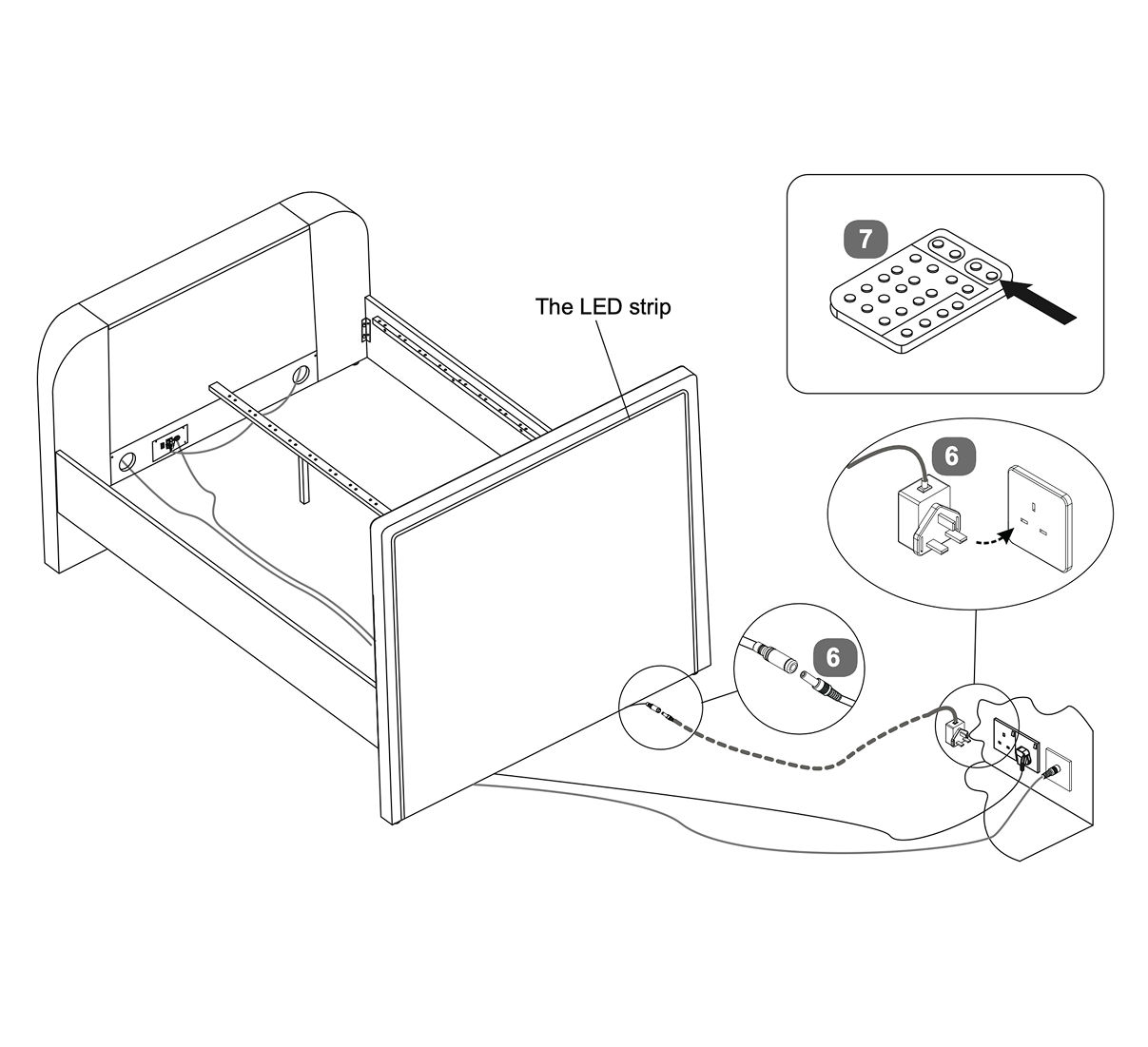
1. Locate the LED strip on the headboard.
2. Connect the LED strip power cable to the adapter.
3. Plug the adapter into an earthed wall socket.
4. Use the remote control to turn on the LED lights and adjust settings as desired.

11. Fit the Slats

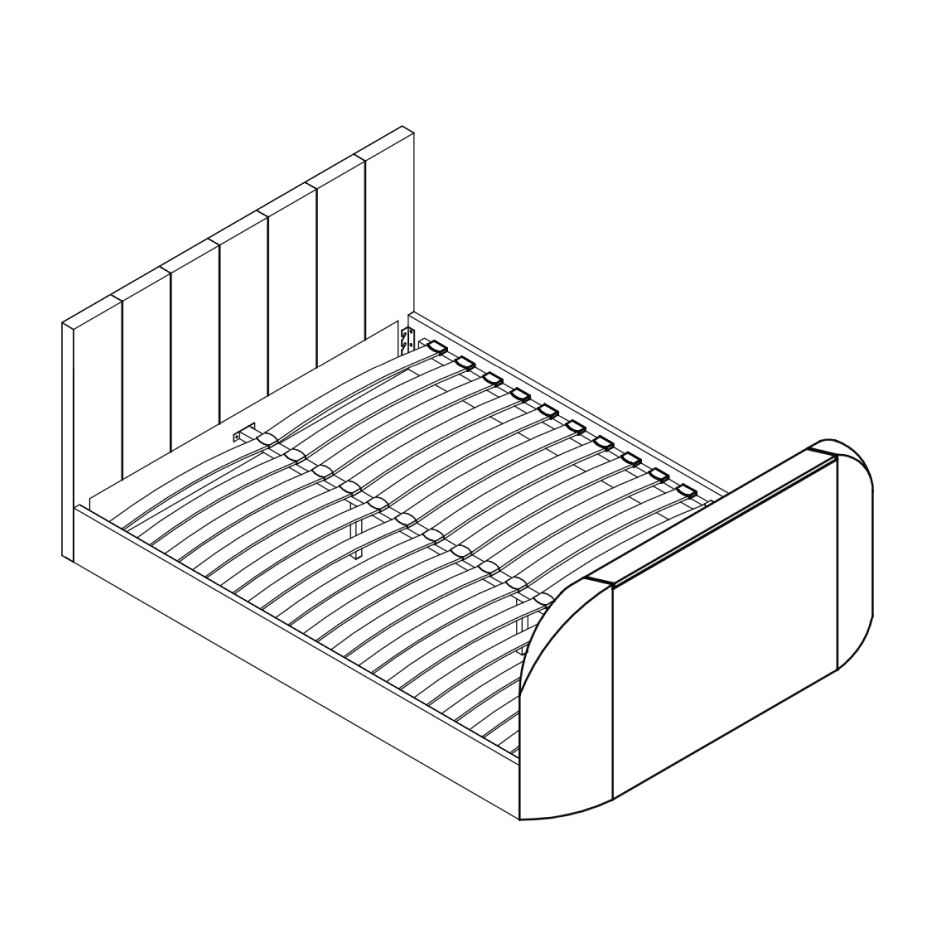
On either Double, King or Super King slat frames - fit the slats to the frame as follows:

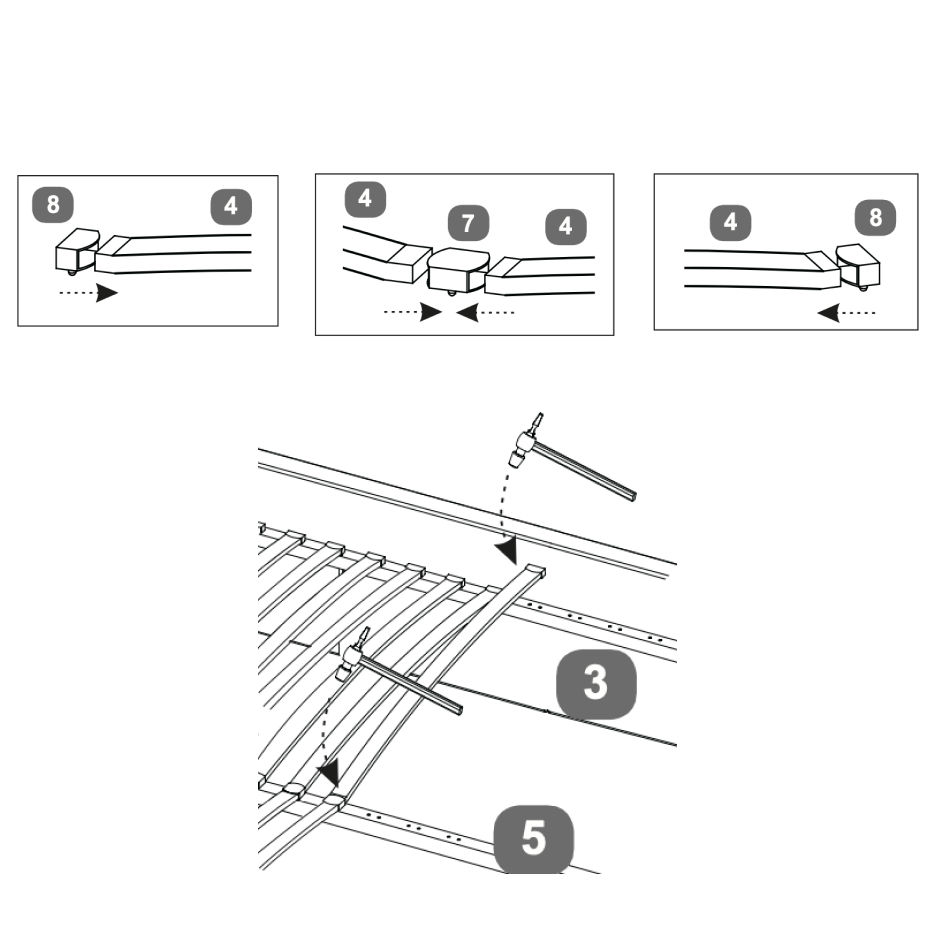
1. Slide slats (4) into the double plastic caps (7).
2. Slide single plastic caps (8) onto each end.
3. Connect each set one by one onto the centre support bar(s) (5) & the metal support rail on each side rail (3) - align the lugs & tap gently with a light hammer.

12. TV Remote

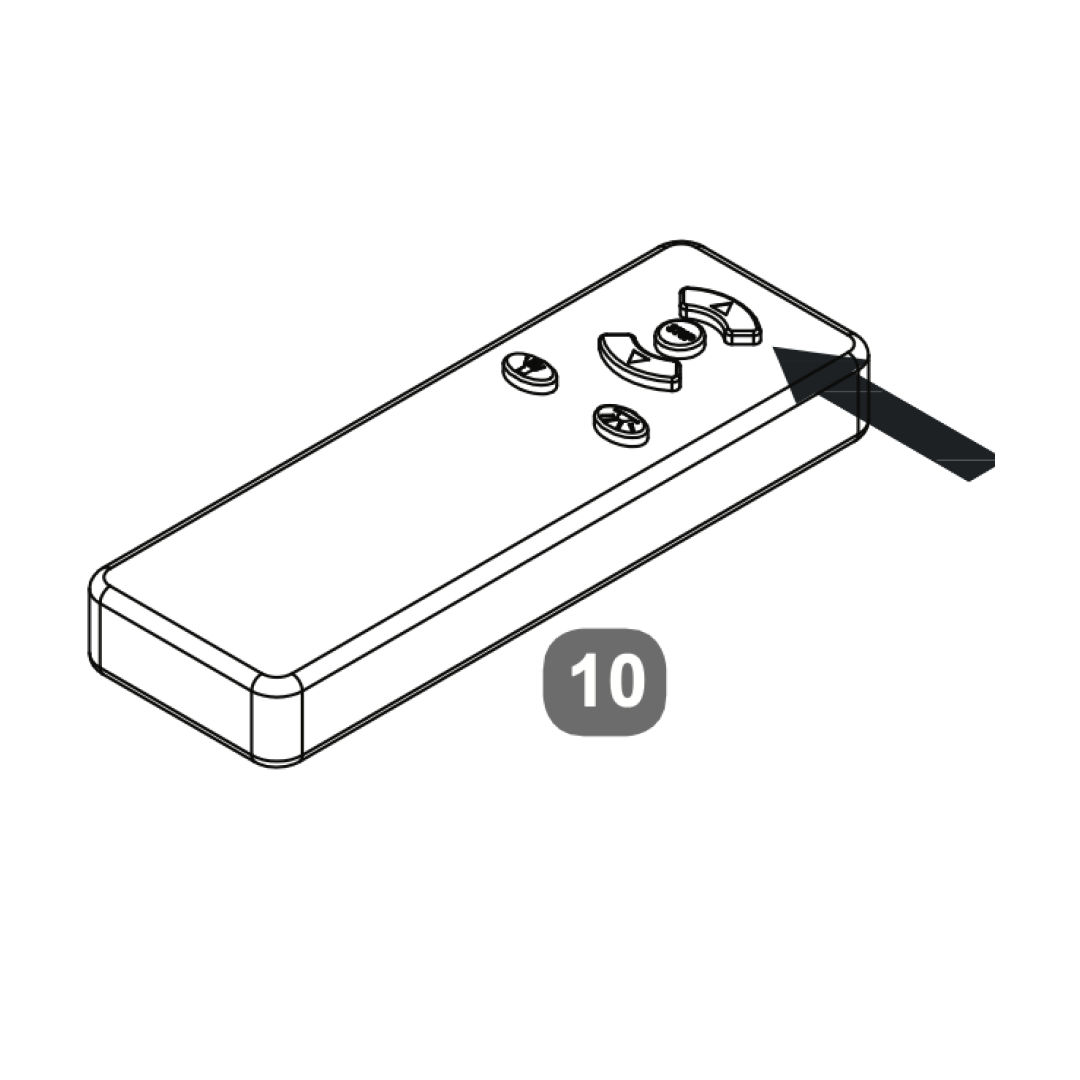
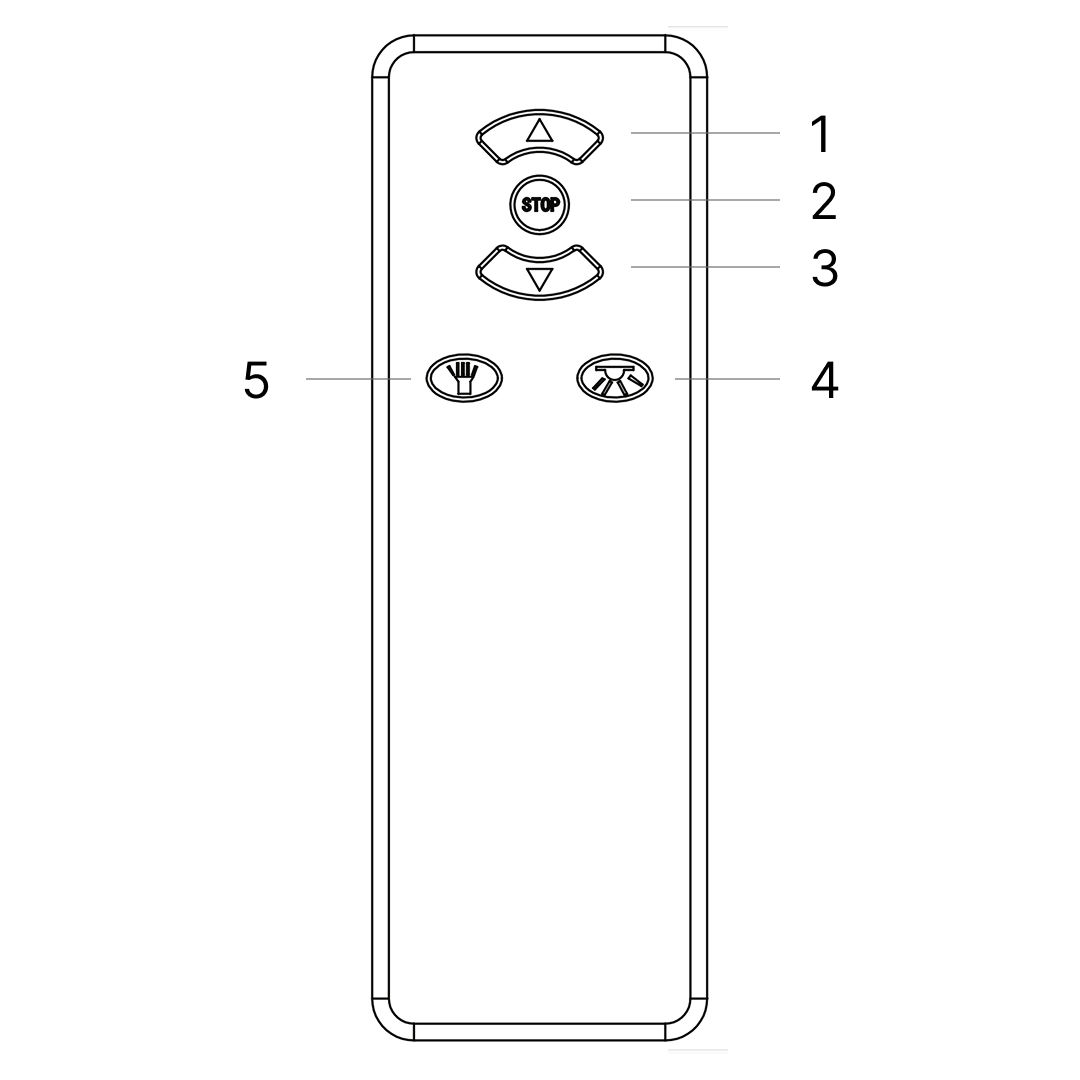
TV Remote

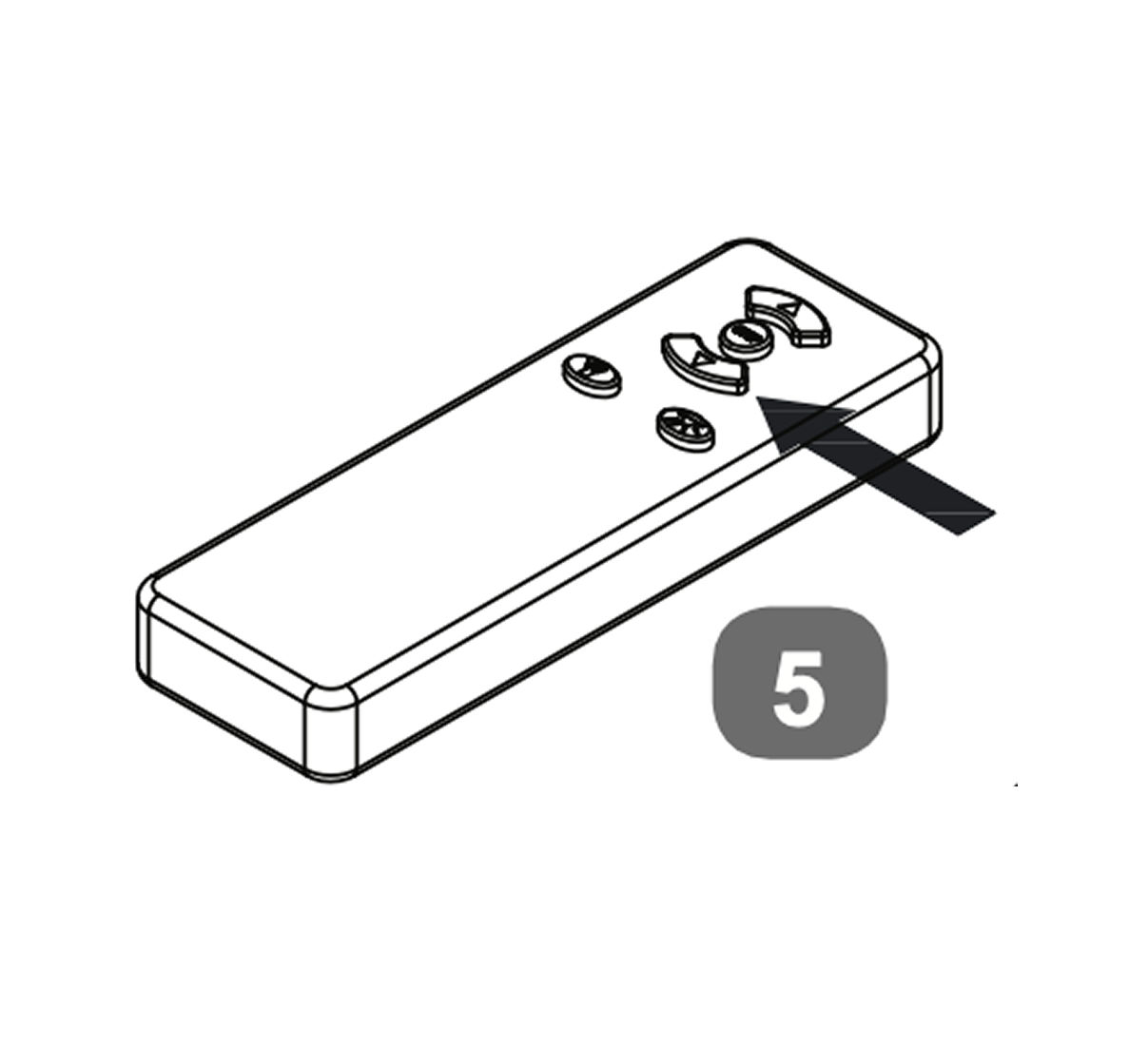
1. Press once and TV will rise to it's upper working position. Power to the TV will be connected automatically
2. Press once and TV Lift will stop.
3. Press once and TV will go down - as soon as the lower resting position is reached power to the TV is switched off to prevent it overheating.
4. Torch
5. Code Matching

Code Matching (pairing): occasionally pairing is lost, perhaps due to atmospheric conditions,

To re-pair - press and hold the code matching button whilst connecting the power by plugging the mains cable into the control box of the TV lift on the base of the footboard.
Continue to press the button for another 5 seconds then press the up or down button to successfully match the code.

Regularly check the batteries and if necessary re-place them - x3 pcs AAA size.

time4sleep
time4sleep (opens in new tab)Terms (opens in new tab)Privacy (opens in new tab)